Timesheets to payroll
From approved timesheets to a payroll file you can trust
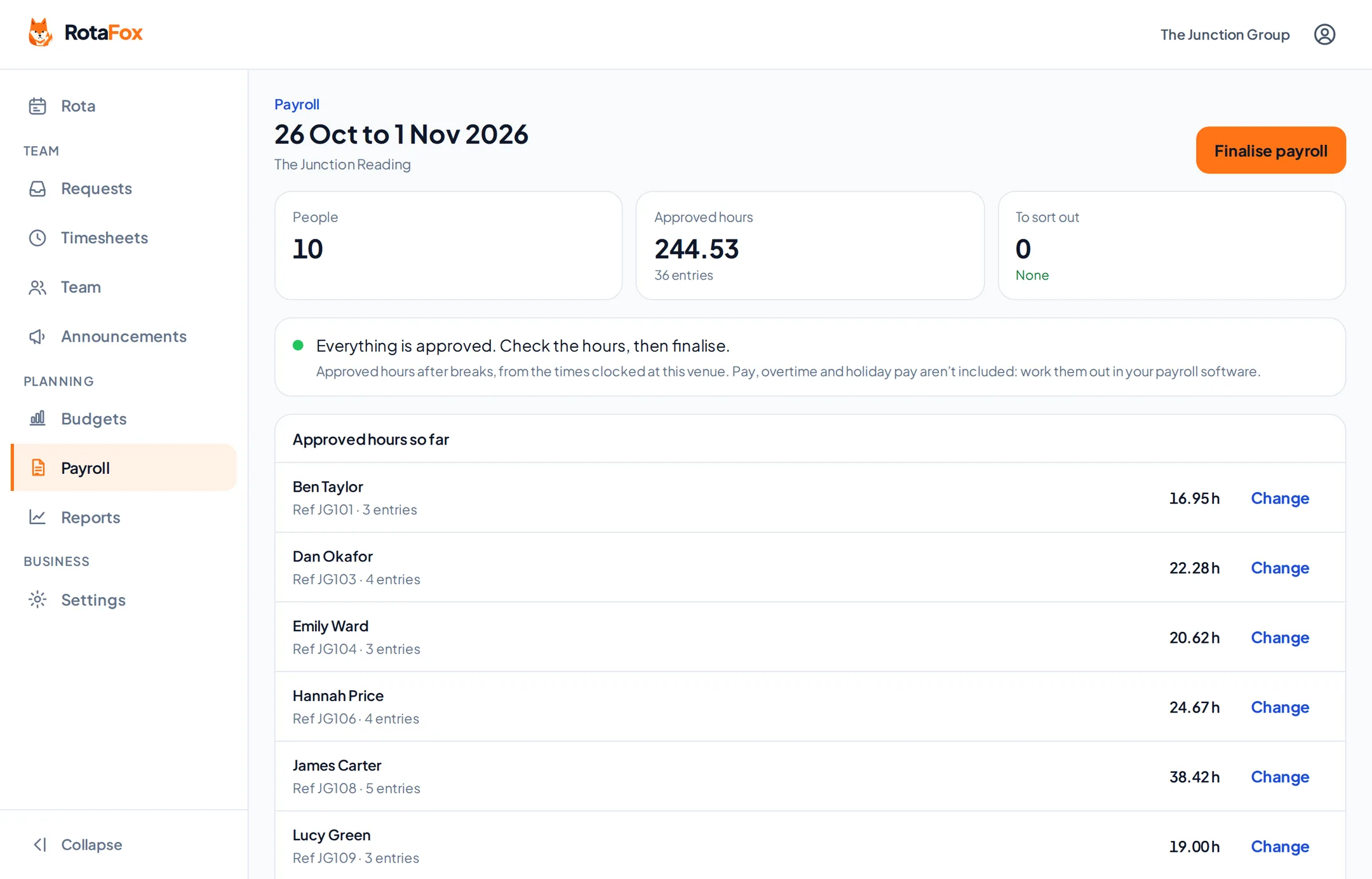
Approve the hours your team worked, check each payroll period is ready, then finalise it and download a CSV of approved hours per person to load into your payroll software.
How it works
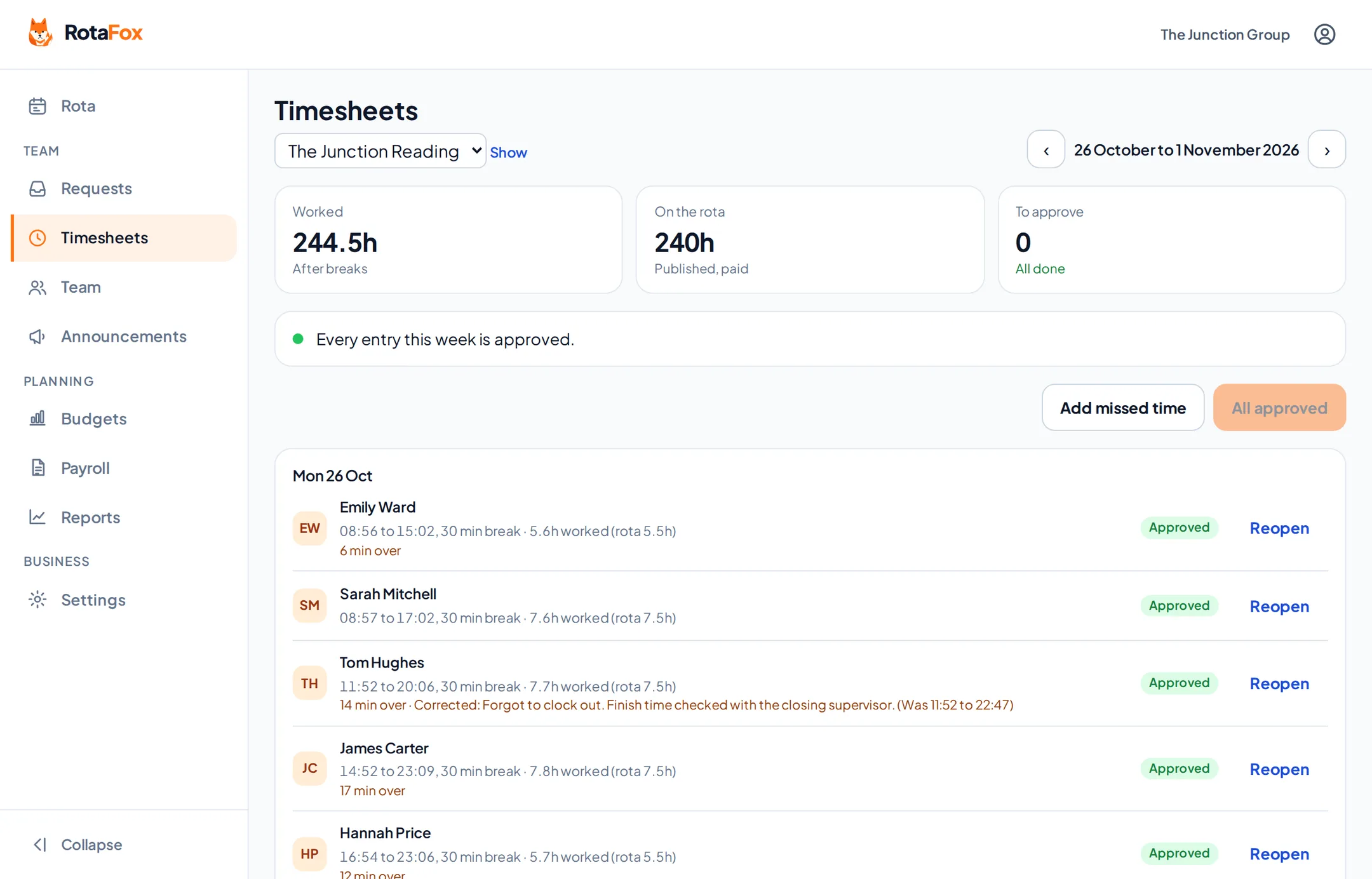
Approve the hours
Timesheets show planned against worked time. Fix mistakes with a reason, then approve.
Create a payroll period
Weekly, fortnightly, four-weekly, monthly or custom, up to 31 days, venue by venue.
Check it’s ready
Anything not yet approved, or anyone still clocked in, is listed so you can sort it out first.
Finalise and download
The file is saved exactly as you saw it, and the times in the period are locked.
Timesheets checked before they count
Each person’s worked time sits beside their planned shifts. Corrections keep the original clock times and need a reason, so you can always see what changed and why. Nobody can approve their own hours.
Only approved hours go into the payroll file. Anything still waiting is flagged on the payroll period, not quietly left out.
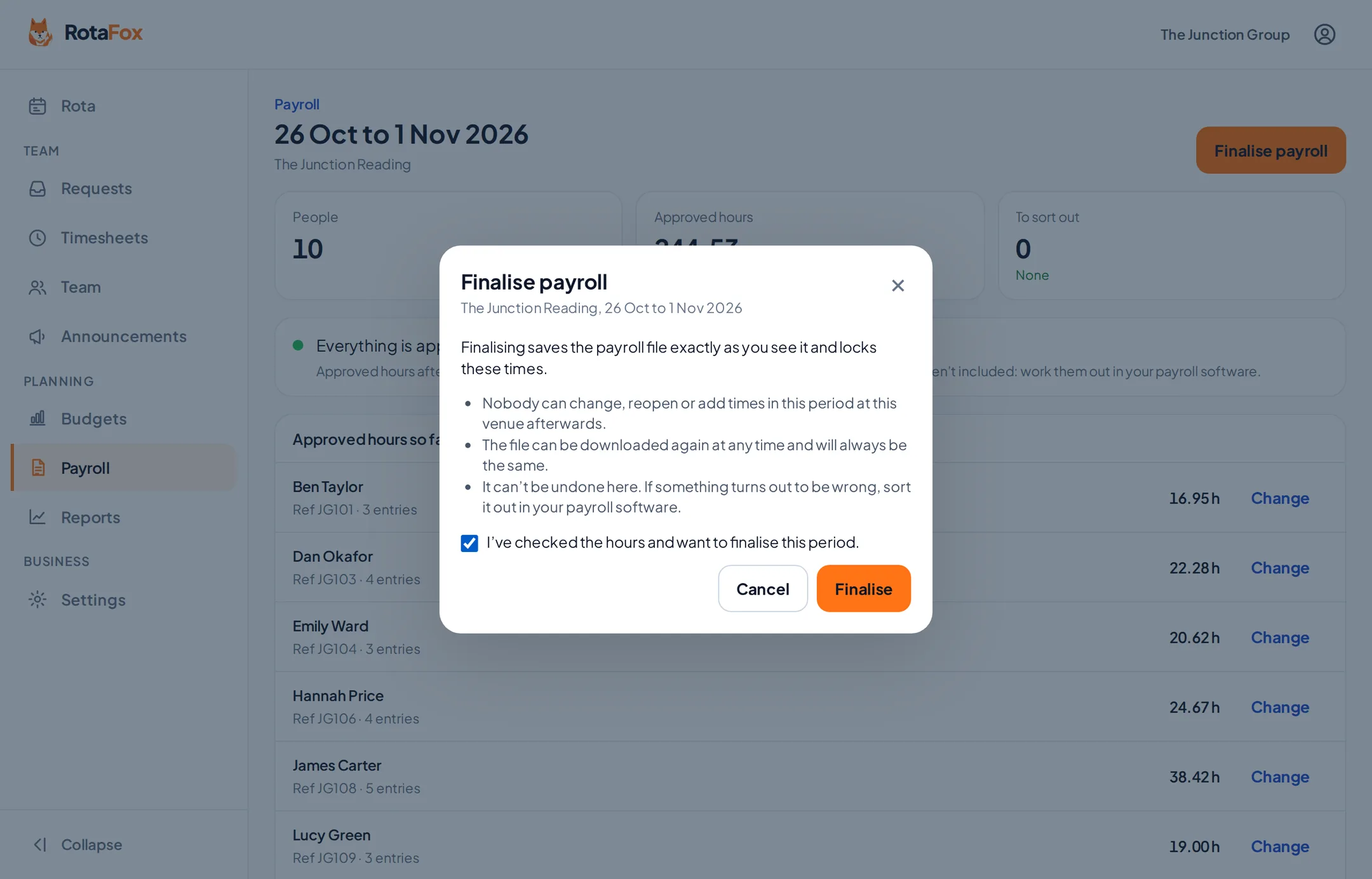
A deliberate, final step
When every hour in a period is approved, finalise it. Finalising saves the file exactly as you see it and locks the times in that period at that venue, so the numbers you sent to payroll can’t change underneath you.
The file can be downloaded again at any time and is always the same, with a fingerprint to prove it. Downloading needs two-step verification.
- One line per person
- Approved hours and minutes
- Your own employee references
- Period dates and venue on every line
Questions about timesheets to payroll
Can I export timesheets for payroll?
Yes. Finalise a payroll period for a venue once its hours are approved, then download a CSV file of approved hours per person to load into your payroll software. It’s an hours file, not a payslip, and not a direct Xero, Sage or QuickBooks integration.
Can a finalised period be changed?
No. Finalising locks the times in that period at that venue and keeps the file exactly as it was. If something turns out to be wrong, sort it out in your payroll software.
Who can prepare payroll?
Only people you give payroll access to, venue by venue. Payroll access needs two-step verification.
Related features
Your next rota could be the easiest one yet.
Less admin. Better control over wages. A happier team. That’s the RotaFox way.