Reports and insights
Know what happened at every venue, week by week
Reports turn your rotas, clocking in and approvals into the figures you need: hours and wages against the plan, who was late or left early, holiday taken and whether payroll is ready. Every figure comes from the times your team actually recorded.
How it works
Pick a period
Any week or month, for one venue or all the venues you can see.
Compare plan and reality
Scheduled hours and cost beside approved hours and cost, person by person.
Spot what needs a look
Late starts, early finishes, missed shifts and times still waiting for approval.
Download the detail
Take the detail away as a CSV for your accountant or your own spreadsheets.
Planned against worked, person by person
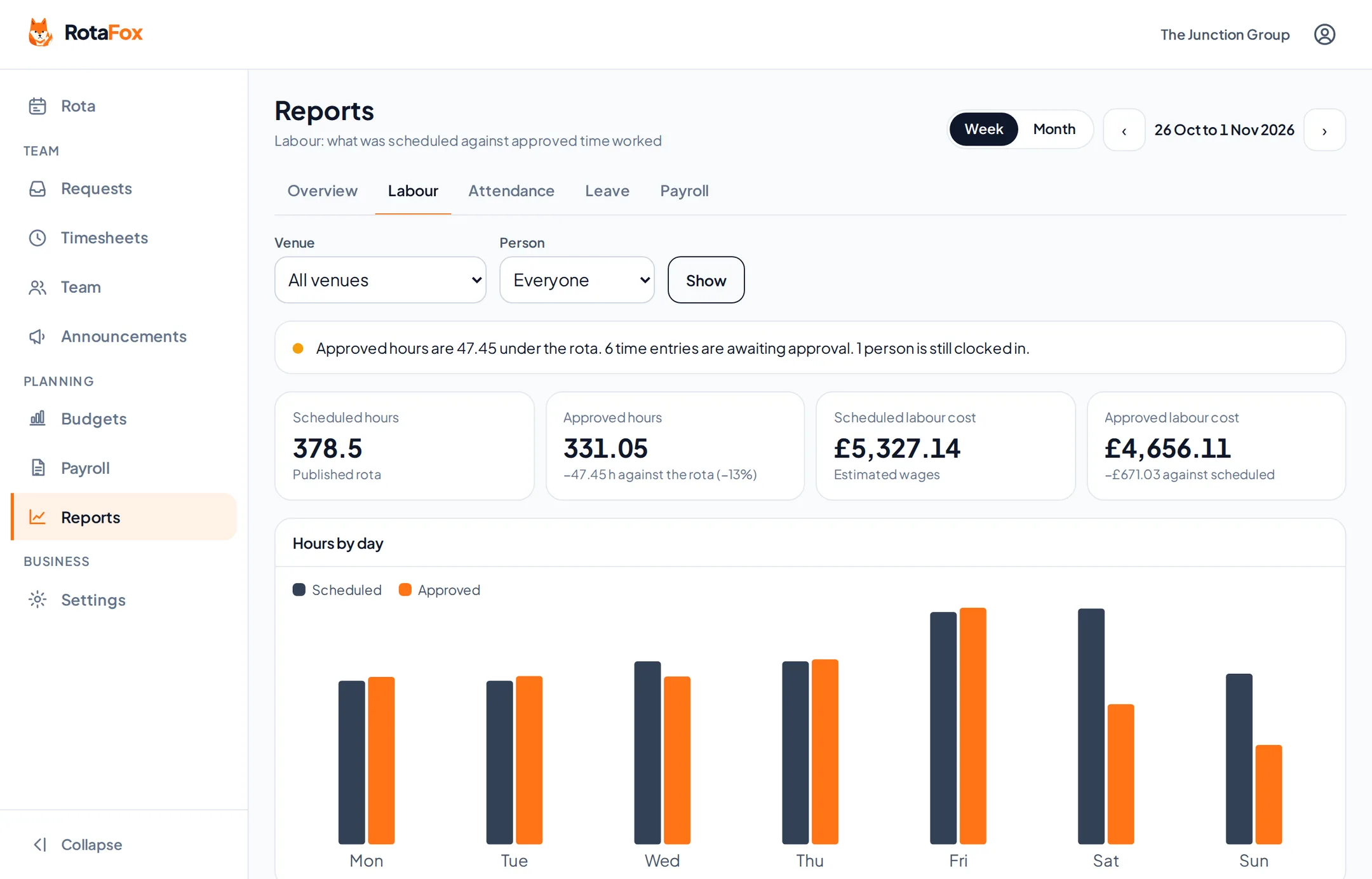
The labour report puts the hours and wages on the published rota beside the hours you approved, for a week or a month, for one venue or all of them. A chart shows each day, and you can narrow it to one person.
Times still waiting for approval, and anyone still clocked in, are called out at the top, so you know how final the figures are.
- Scheduled and approved hours
- Scheduled and approved cost
- Hours by day
- By venue or by person
Attendance without the detective work
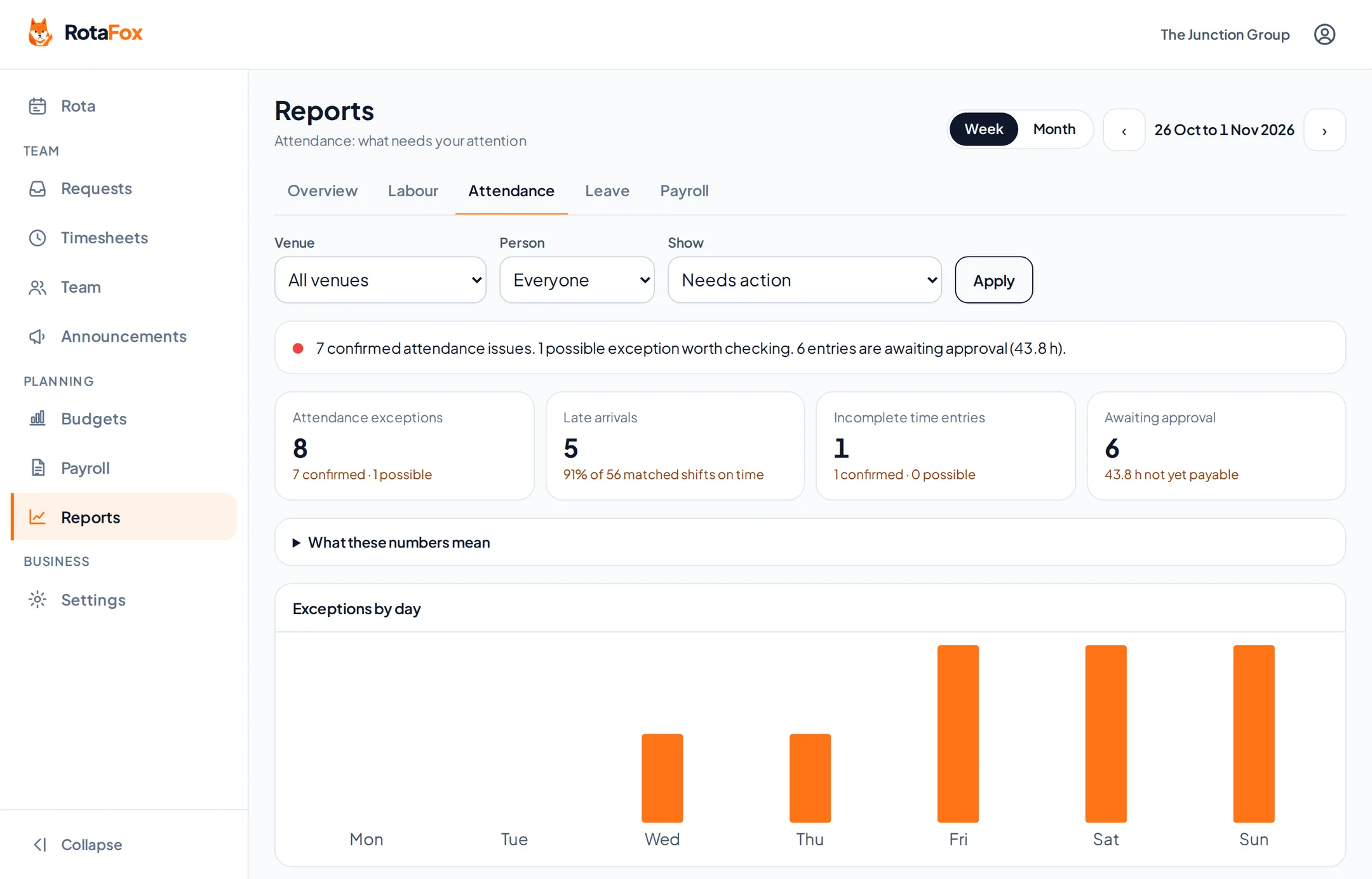
The attendance report compares each published shift with the clock-in and clock-out recorded for it. Late arrivals, early finishes, shifts with no time recorded and incomplete entries are listed, so you can follow them up.
- Late arrivals
- Early finishes
- No time recorded
- Incomplete entries
Every venue side by side, and payroll readiness
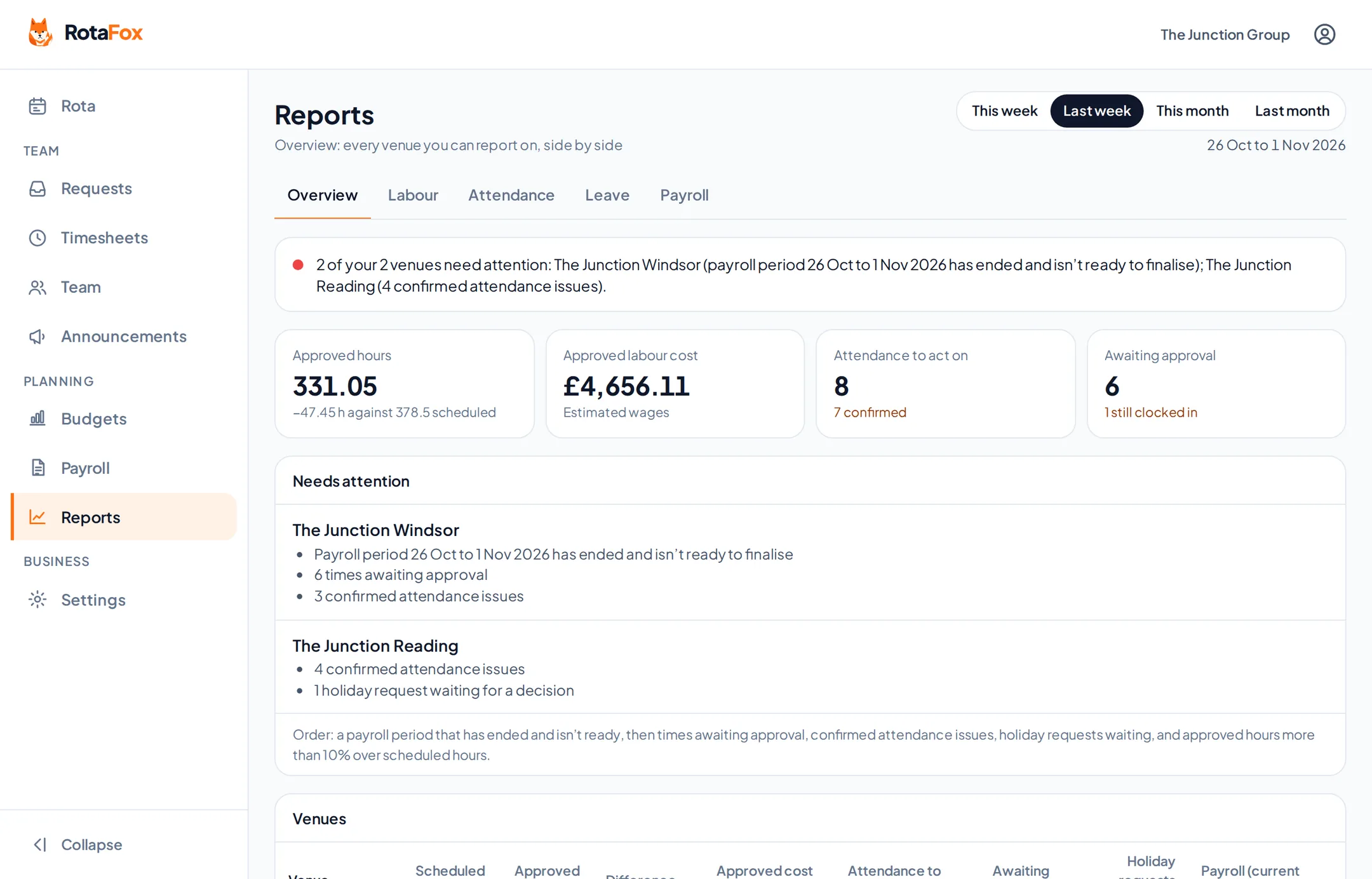
With two or more venues, the overview puts each one next to the others for a week or a month: scheduled and approved hours, approved cost, attendance to act on, times awaiting approval, holiday requests waiting and payroll. Venues that need attention are listed first.
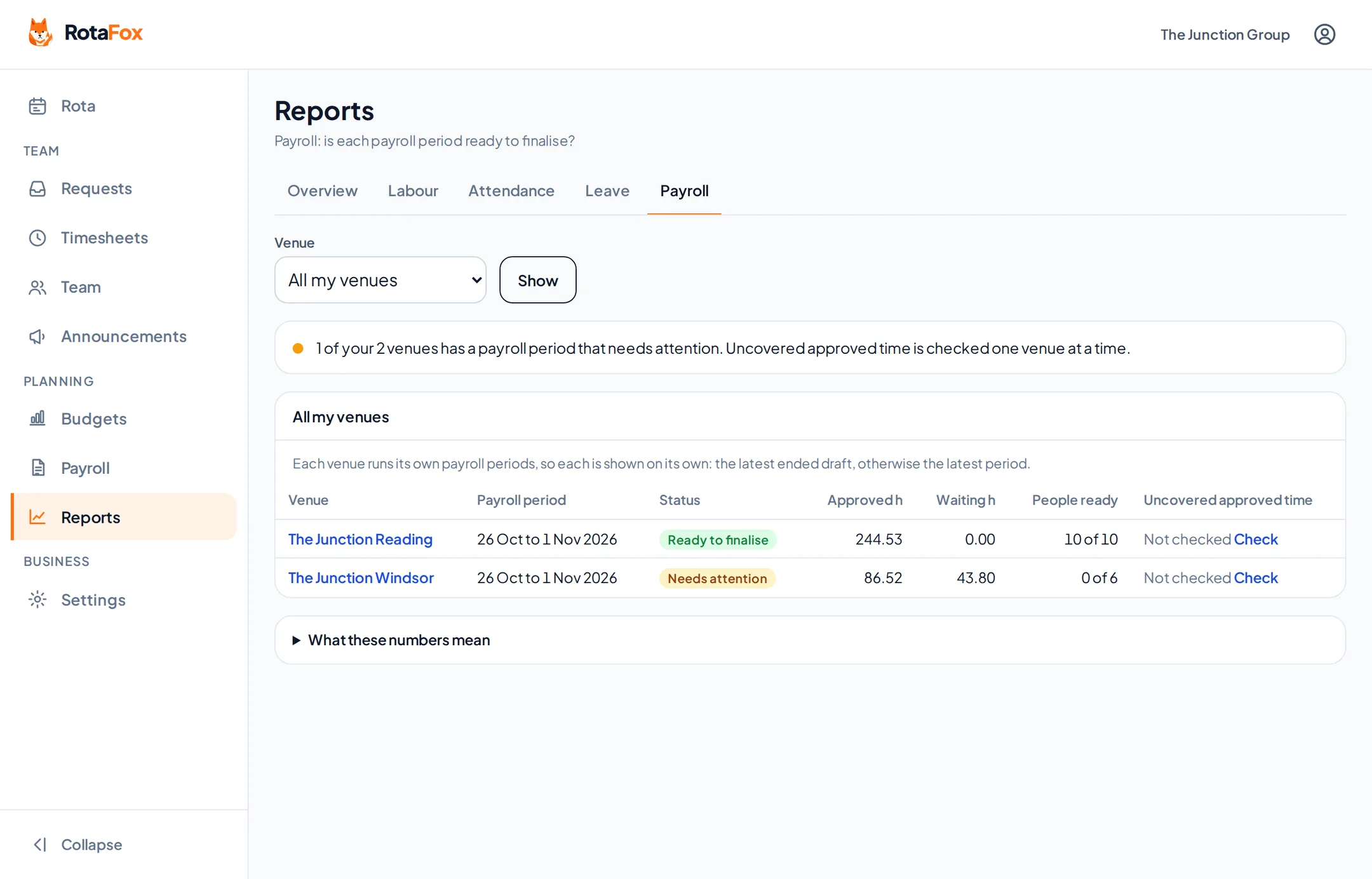
The payroll report shows whether each venue’s payroll period is ready to finalise, and the holiday report shows holiday taken, booked and waiting for a decision. Wage figures only appear for people allowed to see pay. Anyone else sees hours, not money.
Questions about reports and insights
Where do the figures come from?
From your own RotaFox data: published rotas, the times your team clocked, approvals and the pay rates you’ve set.
Can I download reports?
Yes. The labour, attendance, holiday and payroll reports can each be downloaded as a CSV file for the period and venues you’ve chosen.
Can supervisors see wage costs in reports?
Only if you give them access to pay. Without it, reports show hours but no money.
Related features
Your next rota could be the easiest one yet.
Less admin. Better control over wages. A happier team. That’s the RotaFox way.