Labour costs and budgets
Know what the week costs before you publish it
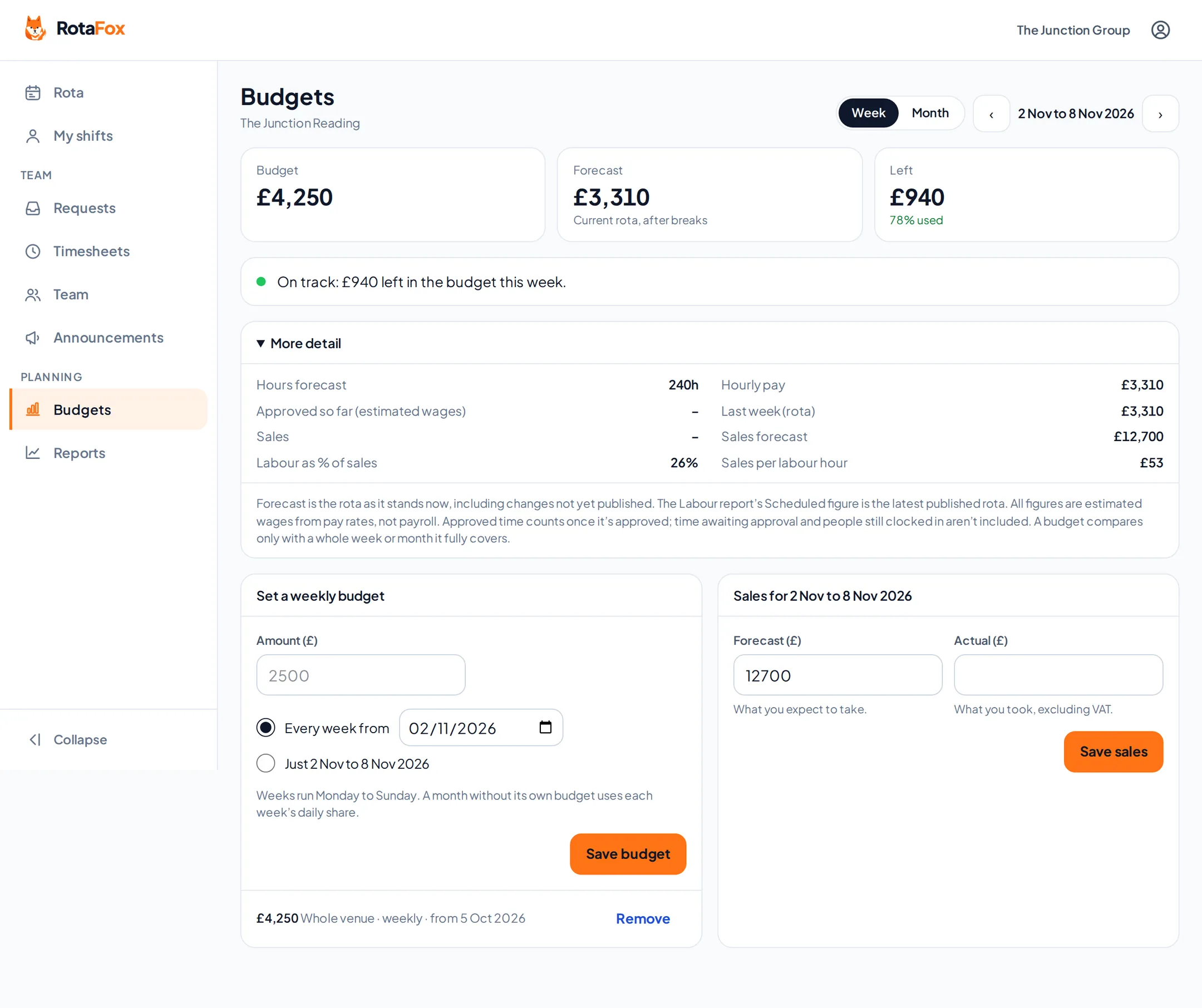
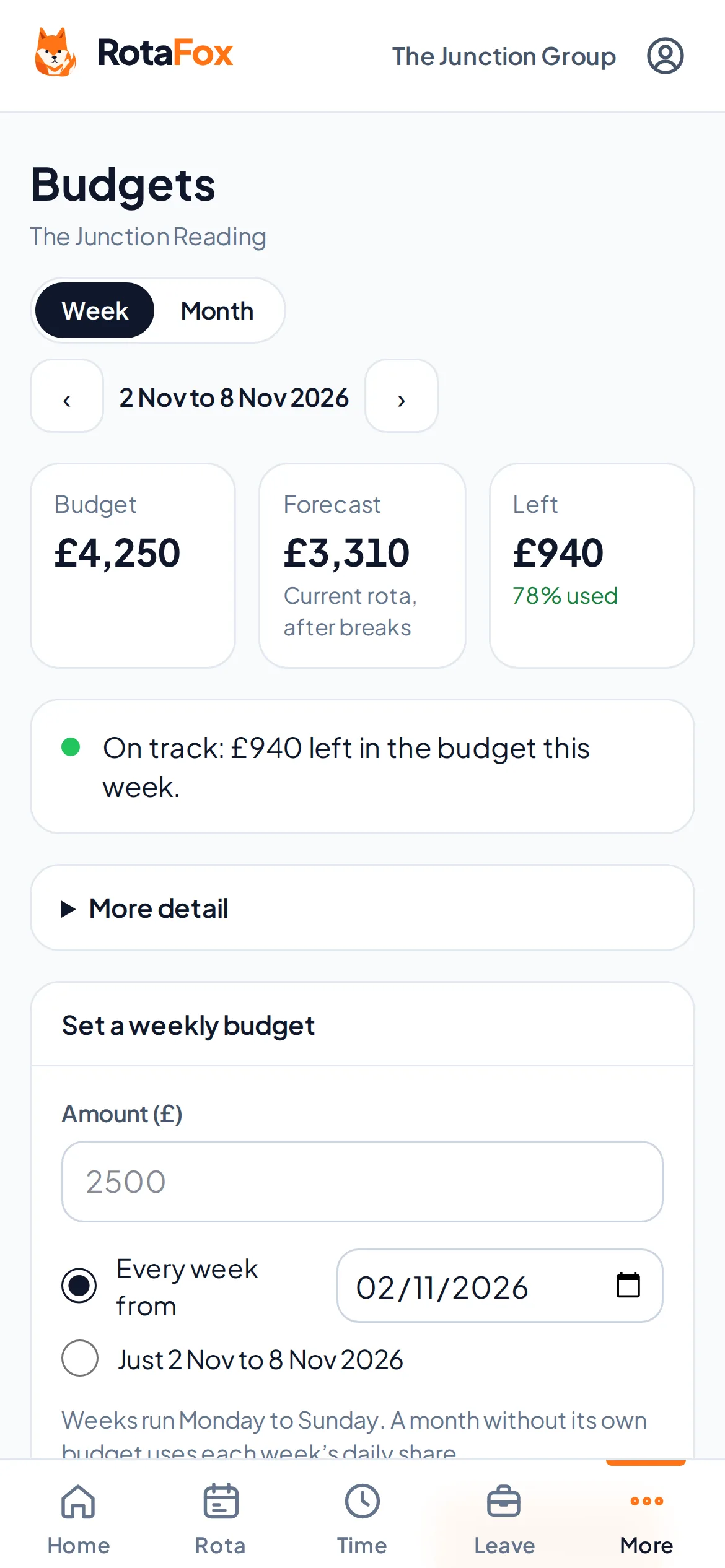
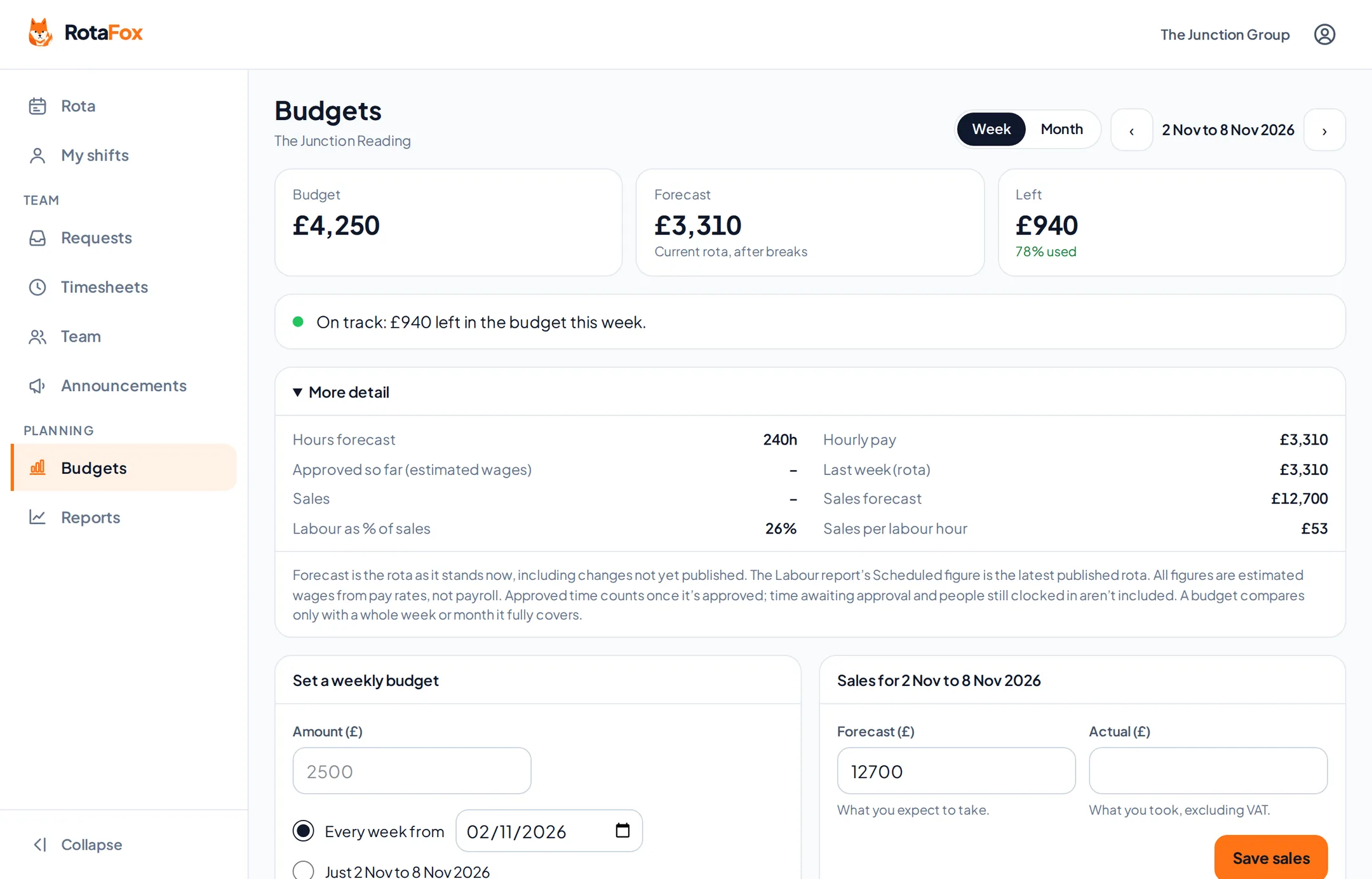
Set a weekly or monthly wage budget and watch the rota measure up as you build it. Every shift shows what it adds. You’ll know you’re over before payday, not after.
A budget that follows the way you trade
Set a budget for the whole business, a venue or a single department. Make it weekly or monthly, set it to repeat from a date, and override a single week for Christmas or a festival weekend.
Weeks and months are worked out day by day. A month is never treated as four weeks, so short and long months, and weeks that cross the end of a month, come out right.
- Weekly or monthly budgets
- For the business, a venue or a department
- Repeating figures and one-off changes
- Future changes planned in advance
Live cost on the rota
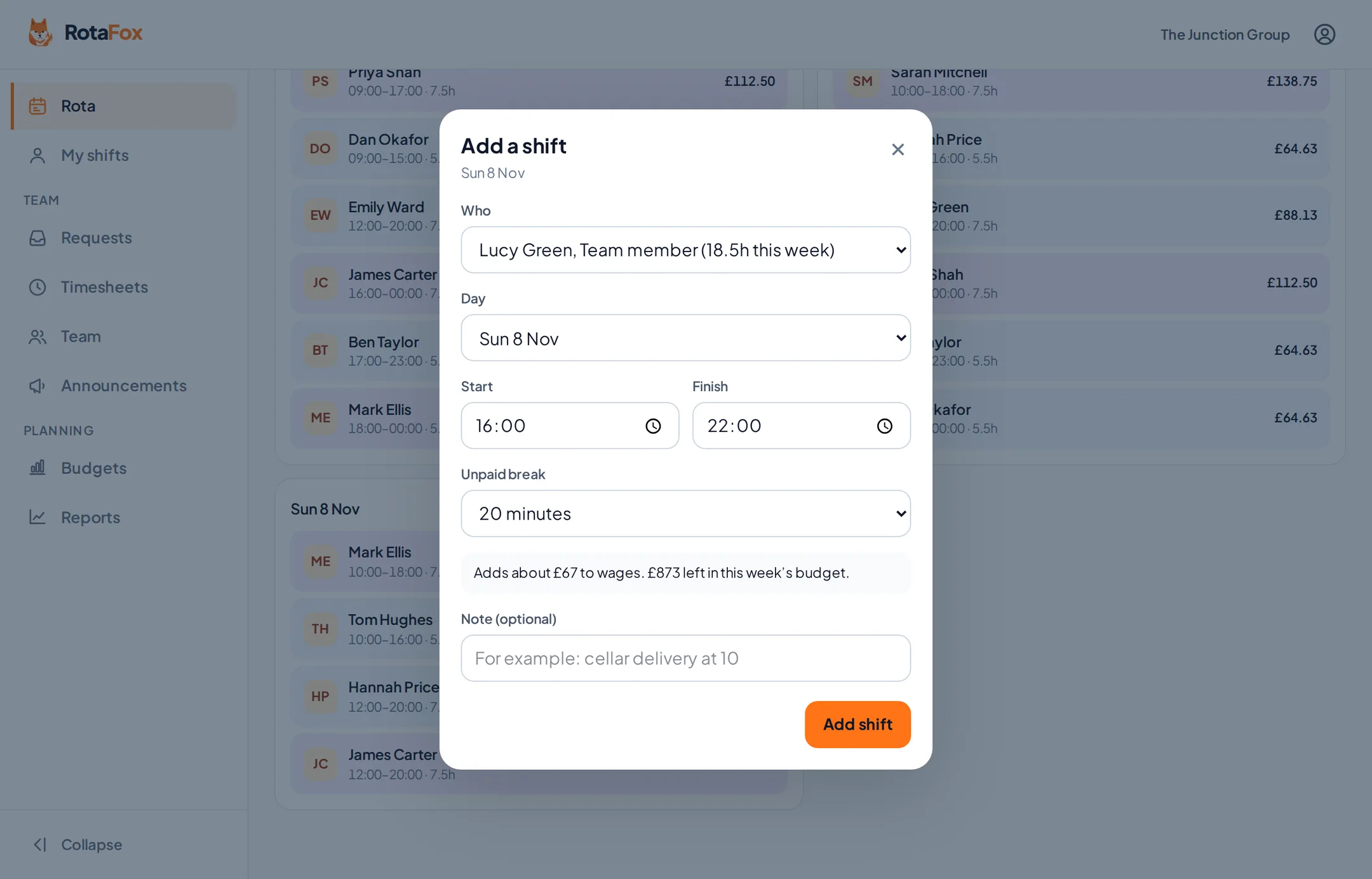
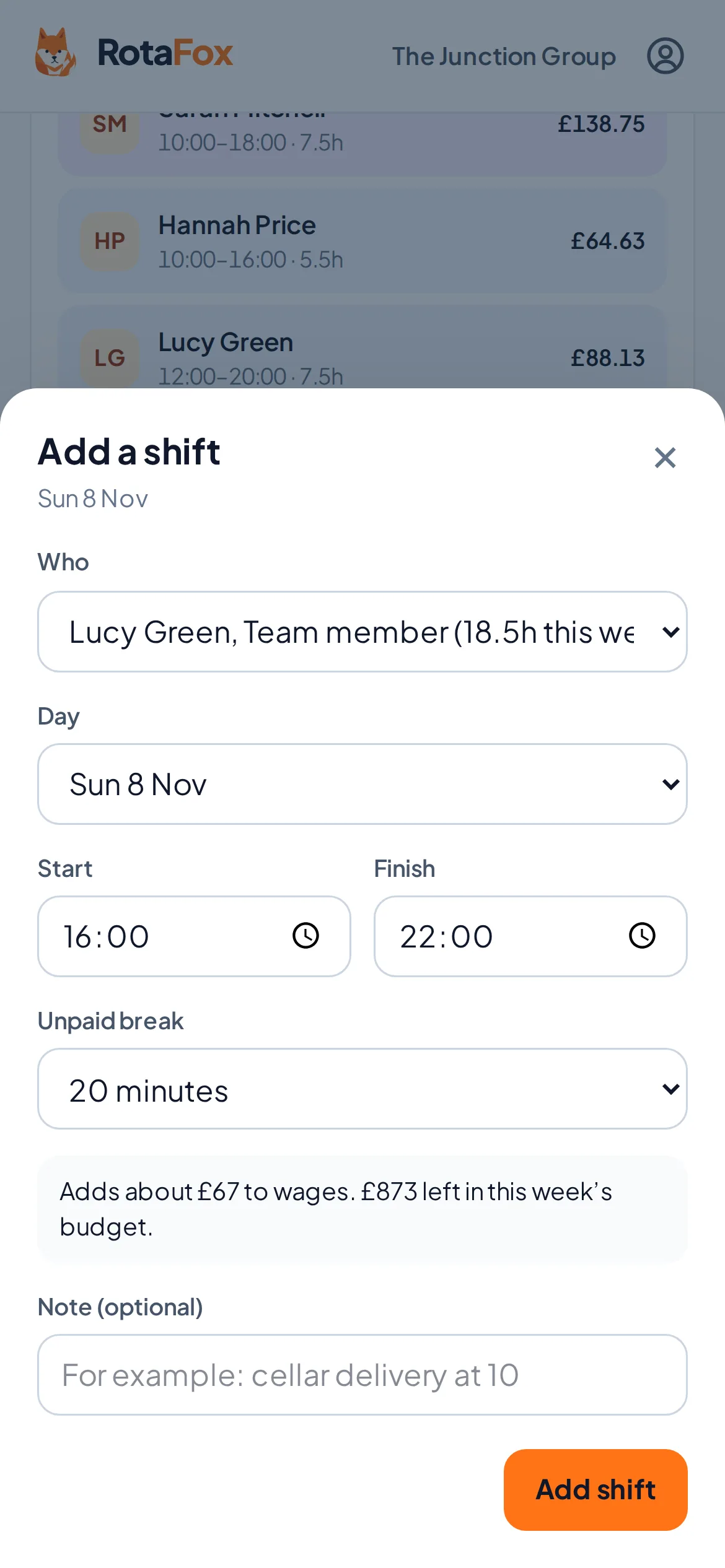
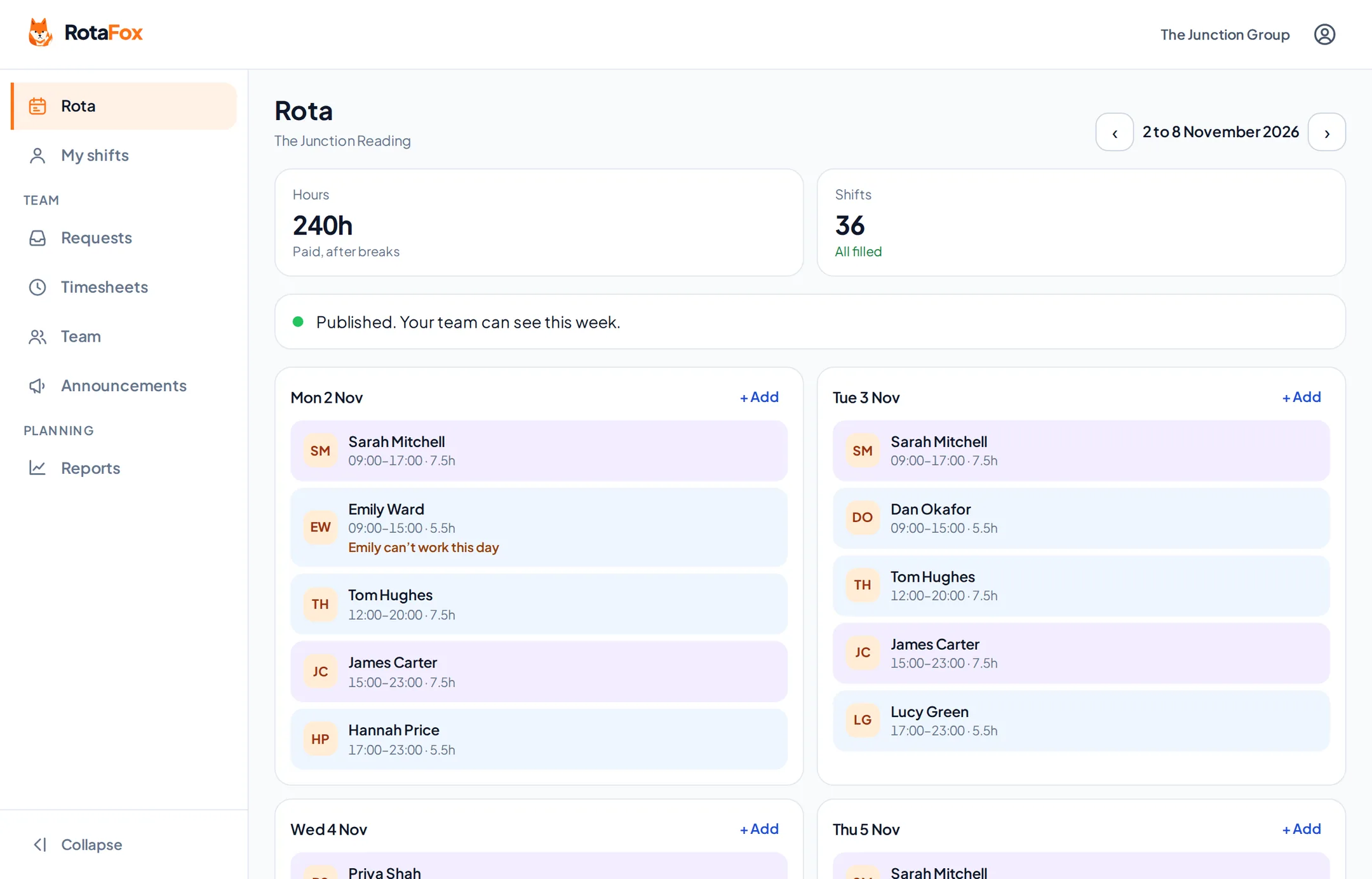
The rota shows your budget, what’s planned and what’s left, with a plain warning at 80, 90 and 100% (or the levels you choose). Open a shift and it tells you roughly what it adds to wages and what that leaves.
If you want a hard stop, switch on “Don’t allow publishing a rota that’s over budget”.
The real cost, not just the hourly rate
RotaFox works out paid time after breaks, overtime above your weekly threshold at the rate you set, and a share of salaries for salaried staff, day by day. You can add employer costs (employer National Insurance, pension and holiday pay) as percentages for a fuller estimate.
- Hourly and salaried staff
- Overtime above a weekly threshold
- Optional employer on-costs
- Planned cost against approved timesheets
Labour as a share of sales
Enter your sales forecast and actual takings for the week or month. RotaFox shows labour as a percentage of sales and sales per labour hour, next to last period’s figures.
Reports when you need the detail
Reports compare what you scheduled with the hours actually worked and approved, for each venue and period. There are reports for labour hours and cost, attendance, leave and payroll readiness, plus an overview across venues if you run more than one. Each report can be downloaded as a CSV file.
- Scheduled against worked hours and cost
- Attendance, leave and payroll readiness
- An overview across your venues
- CSV downloads of each report
Costs without exposing anyone’s pay
Seeing a budget, seeing cost totals and seeing individual pay are separate permissions, set for each venue. Reports only show money to people allowed to see it, and totals are hidden for very small groups where they could reveal one person’s wage. People who can see payroll or manage access must use two-step verification.
Questions about labour costs and budgets
Can I set a weekly staffing budget?
Yes. Budgets can be weekly or monthly, for the whole business, a venue or a department. They can repeat from a date, and you can override any single week or month.
Does RotaFox calculate labour costs exactly like payroll?
No. It’s a planning estimate: pay after breaks, overtime, a daily share of salaries and optional percentage on-costs. Your payroll works out the exact figures, including tax and National Insurance thresholds.
Who can see wage costs?
Only people you allow. Seeing budgets, seeing cost totals and seeing individual pay rates are separate switches.
Related features
Your next rota could be the easiest one yet.
Less admin. Better control over wages. A happier team. That’s the RotaFox way.