Rota scheduling
Build the week’s rota in one sitting
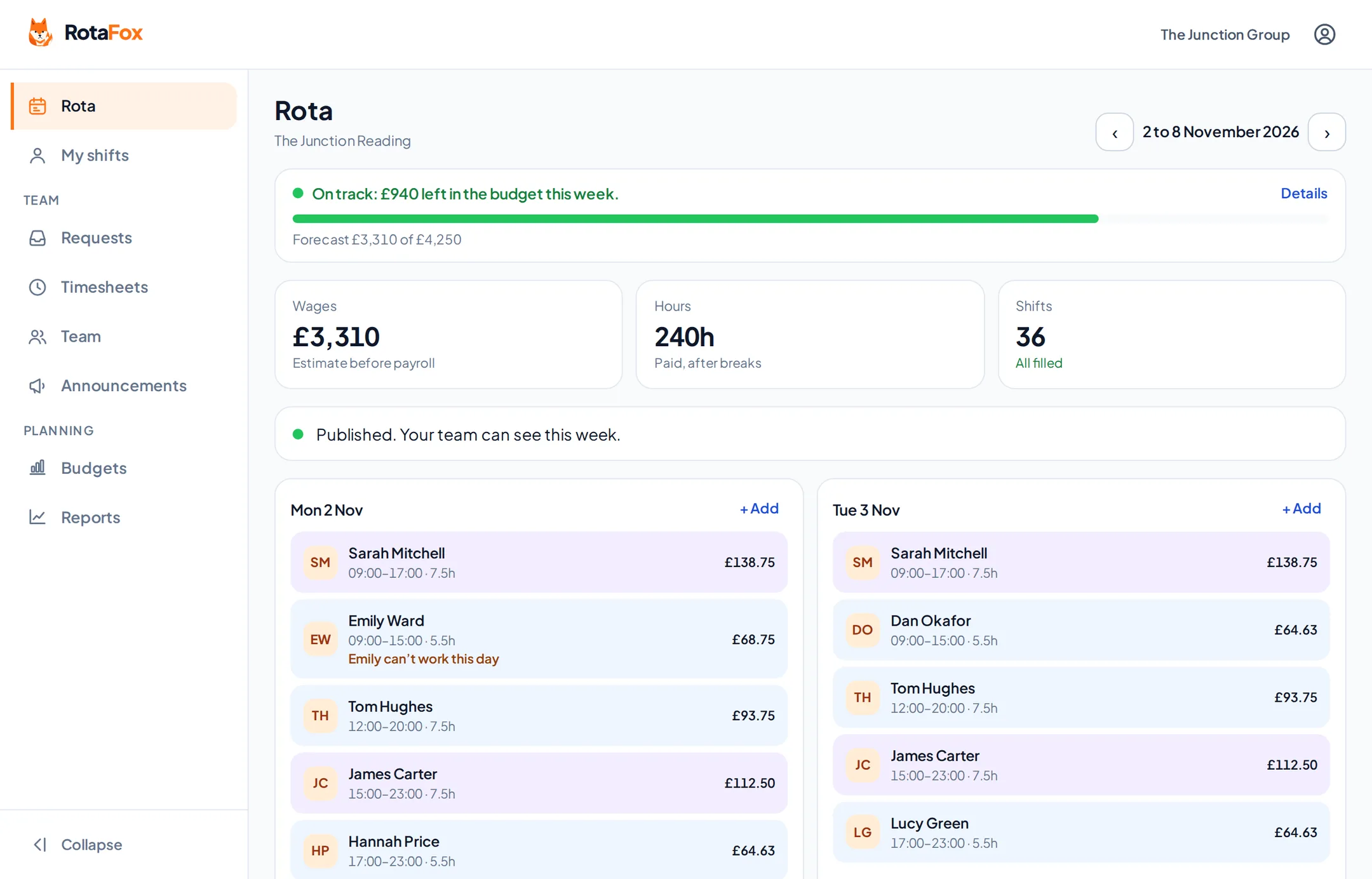
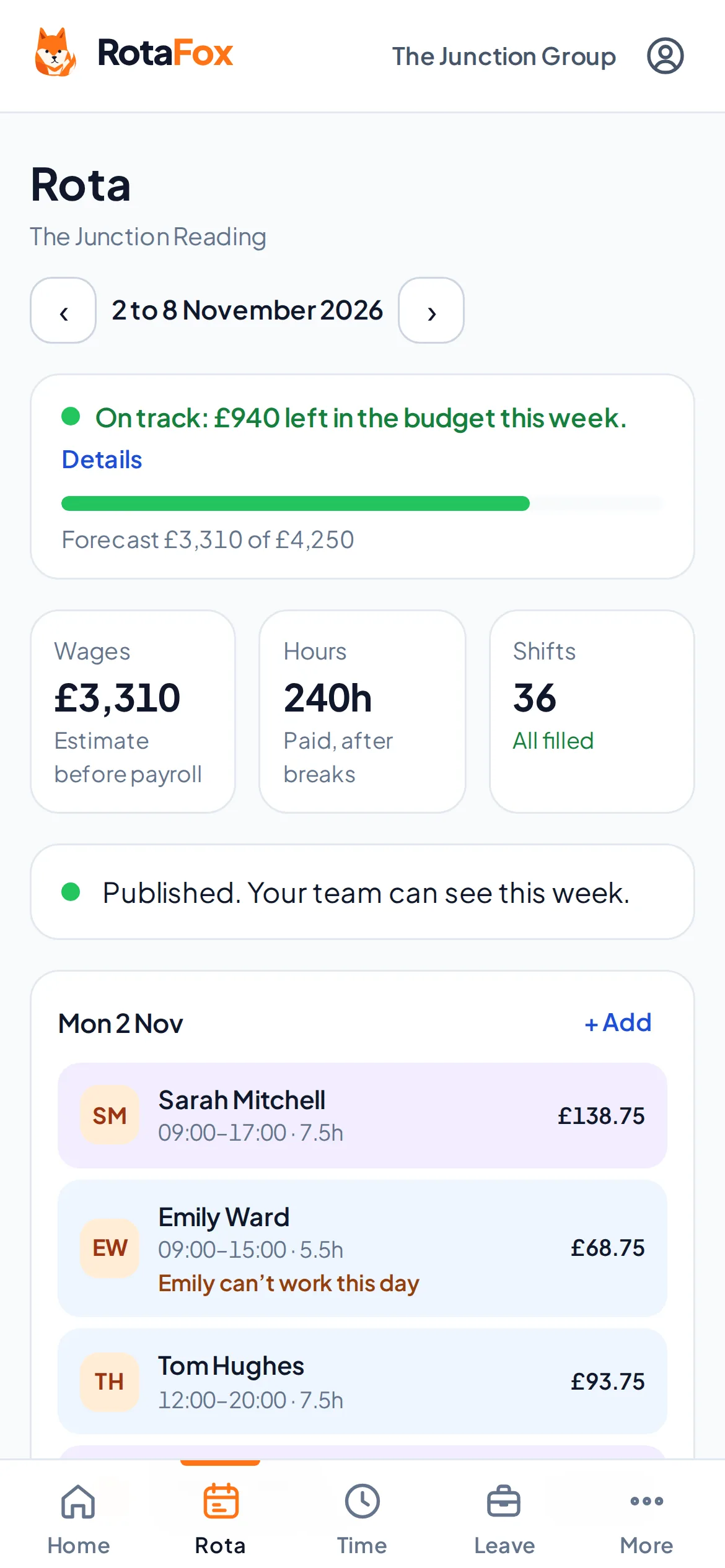
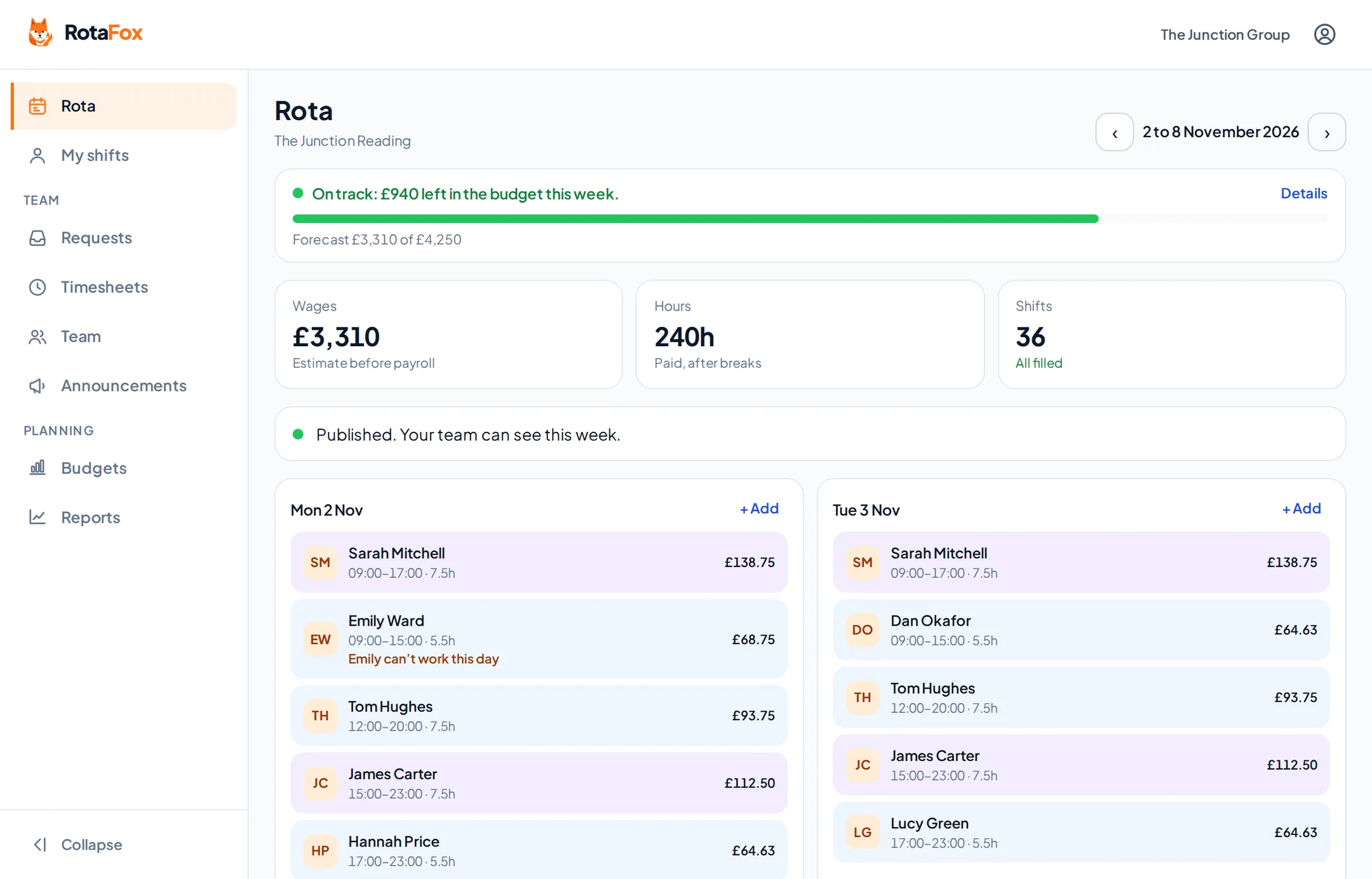
Plan shifts for each venue, see clashes before they become problems, and publish when you’re happy. Once it’s published, your team can see their own week in RotaFox on their phone.
A week at a glance
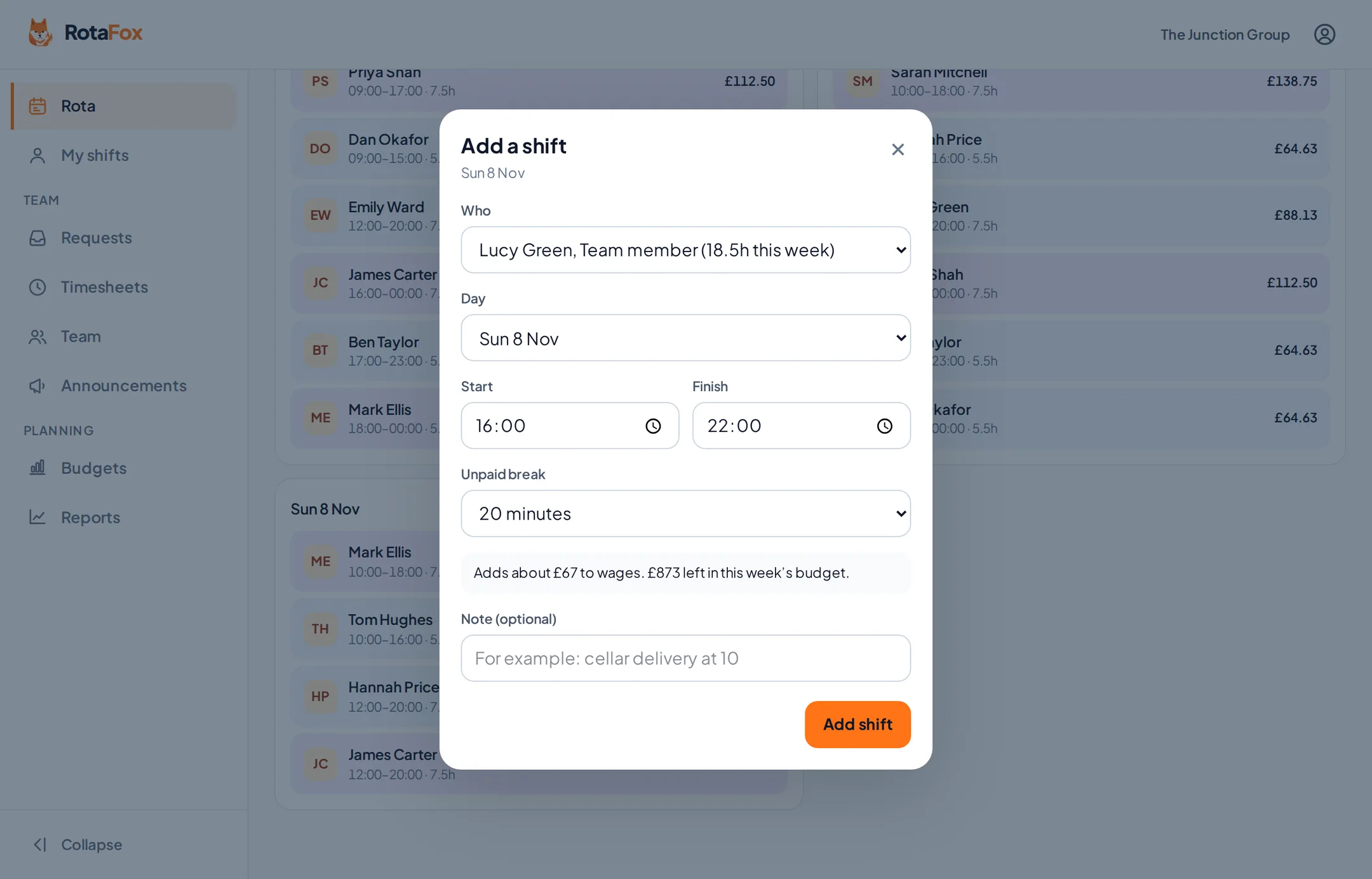
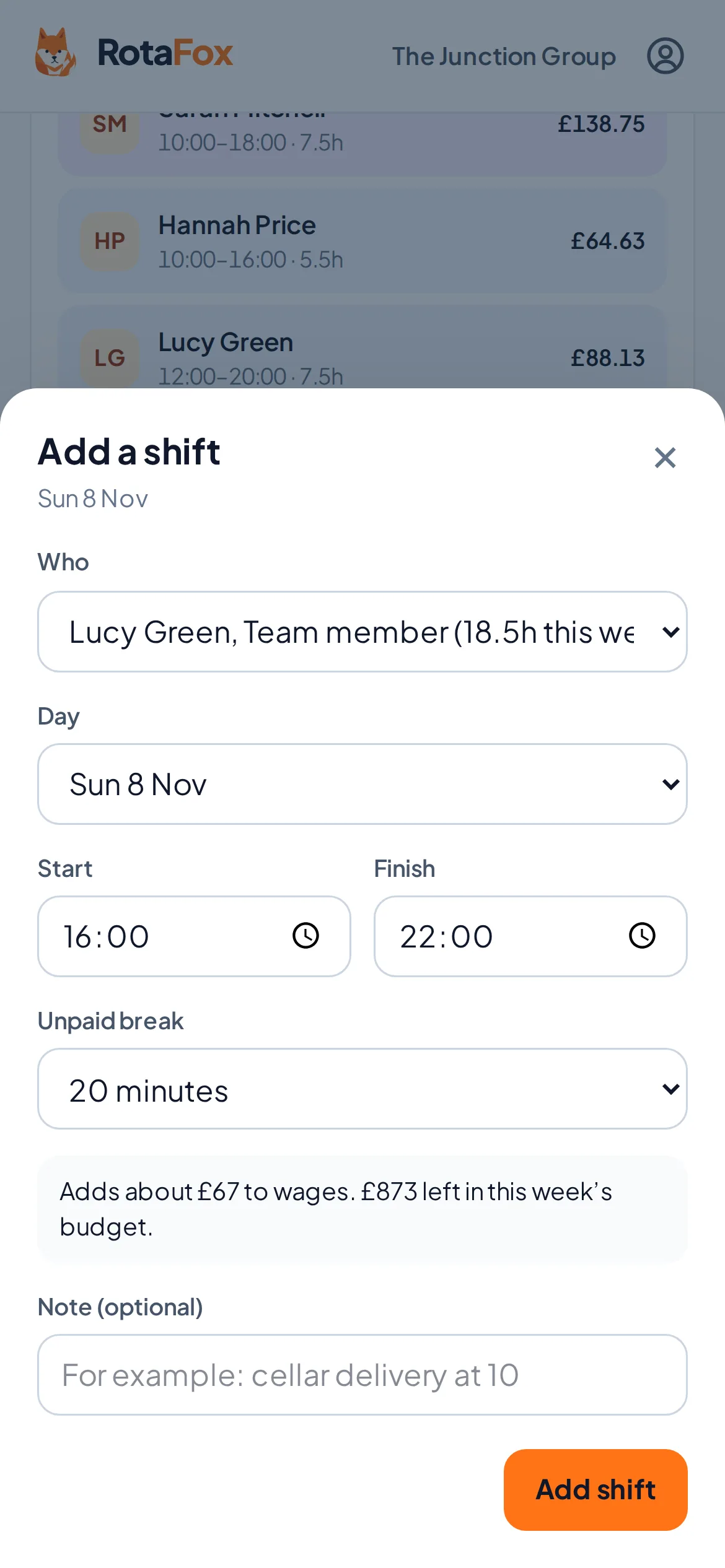
Each day shows who’s working, their times and paid hours after breaks. Add a shift with a tap, pick who’s on it, and RotaFox suggests the break your business rules call for.
Late finishes are handled properly: a shift from 18:00 to 01:00 belongs to the evening it started, in your venue’s own time zone, including when the clocks change.
- Shifts with start, finish, unpaid break and a note
- Overnight shifts and clock changes handled for you
- Optional departments, such as Bar, Kitchen or Front of house
- One rota per venue, each in its own time zone
Clashes spotted while you plan, not on the night
When you choose who works a shift, RotaFox tells you if they’re on approved leave, have said they can’t work then, or would like extra hours. It won’t let you put someone on two overlapping shifts.
- Approved leave blocks the booking
- Availability shown beside each name
- Each person’s hours that week, next to their name
- No double-booking
Open shifts and swaps
Not sure who’ll cover Saturday’s close? Leave it open. It shows in red until someone’s on it, and your team can offer to pick it up. Staff can also ask a colleague to swap; you approve before anything changes.
Publish when you’re ready
Your draft stays private to managers. Publish the week and your team can see it in RotaFox straight away. Change something afterwards and RotaFox reminds you to publish again, so nobody works from an old version.
Starting a new week? Copy last week fills an empty week with last week’s shifts as a draft, ready for you to adjust before you publish.
Questions about rota scheduling
Can my team see the rota before I’ve finished it?
No. Only people who manage the rota can see a draft. Your team sees a week once you publish it, and sees changes when you publish again.
Can I run rotas for more than one venue?
Yes. Each venue has its own rota, team and time zone, and managers can be given access to one venue or all of them.
Can I copy last week’s rota?
Yes. Copy last week fills an empty week with last week’s shifts as a draft. If someone can no longer work one of those shifts, for example because they’re on approved leave, it’s left as an open shift for you to fill. Nothing changes for your team until you publish. Reusable shift templates are planned.
Related features
Your next rota could be the easiest one yet.
Less admin. Better control over wages. A happier team. That’s the RotaFox way.