Swaps and open shifts
Shift cover sorted by your team, signed off by you
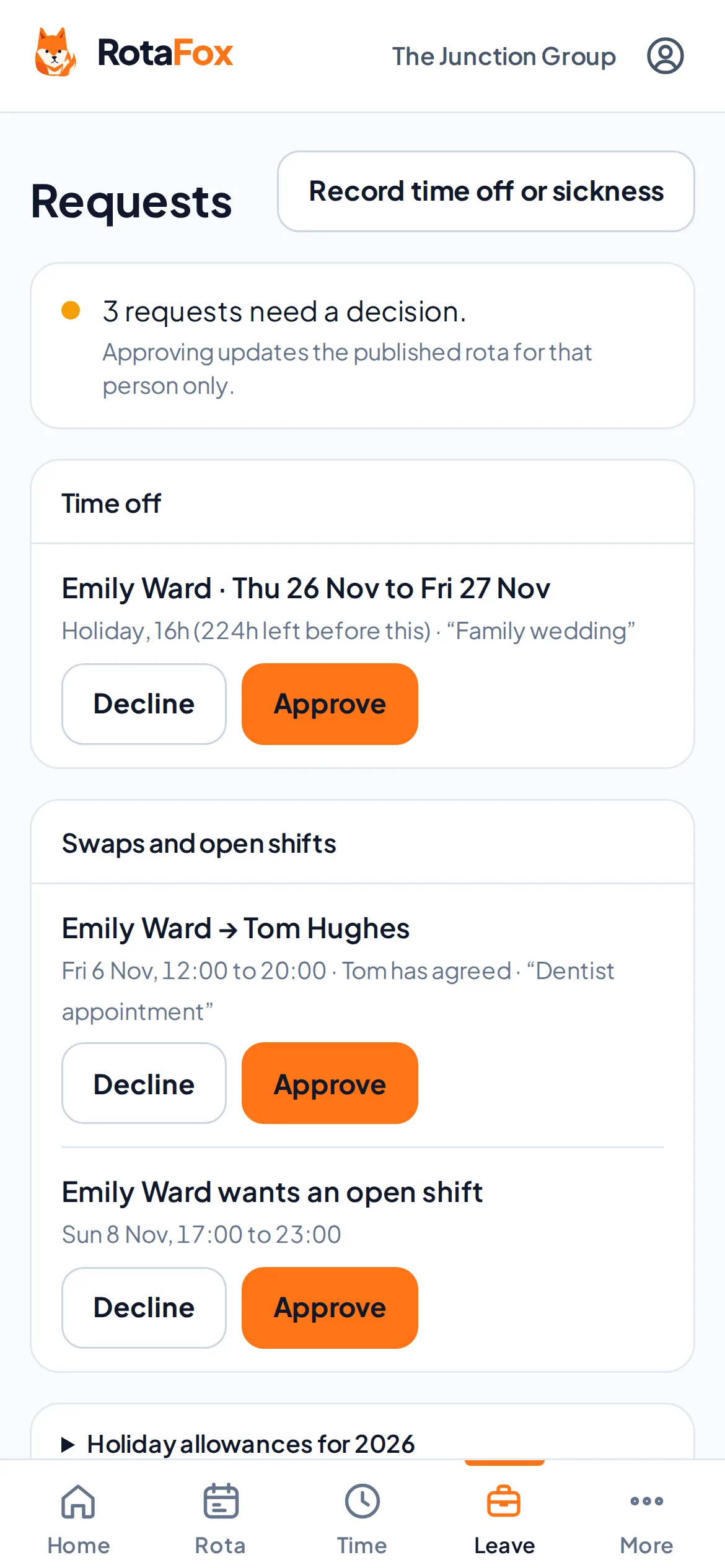
When someone can’t work a shift, they offer it to a colleague who’s free. When you have a gap, leave it open for your team to pick up. Nothing changes on the rota until a manager approves it.
How it works
Offer or pick up
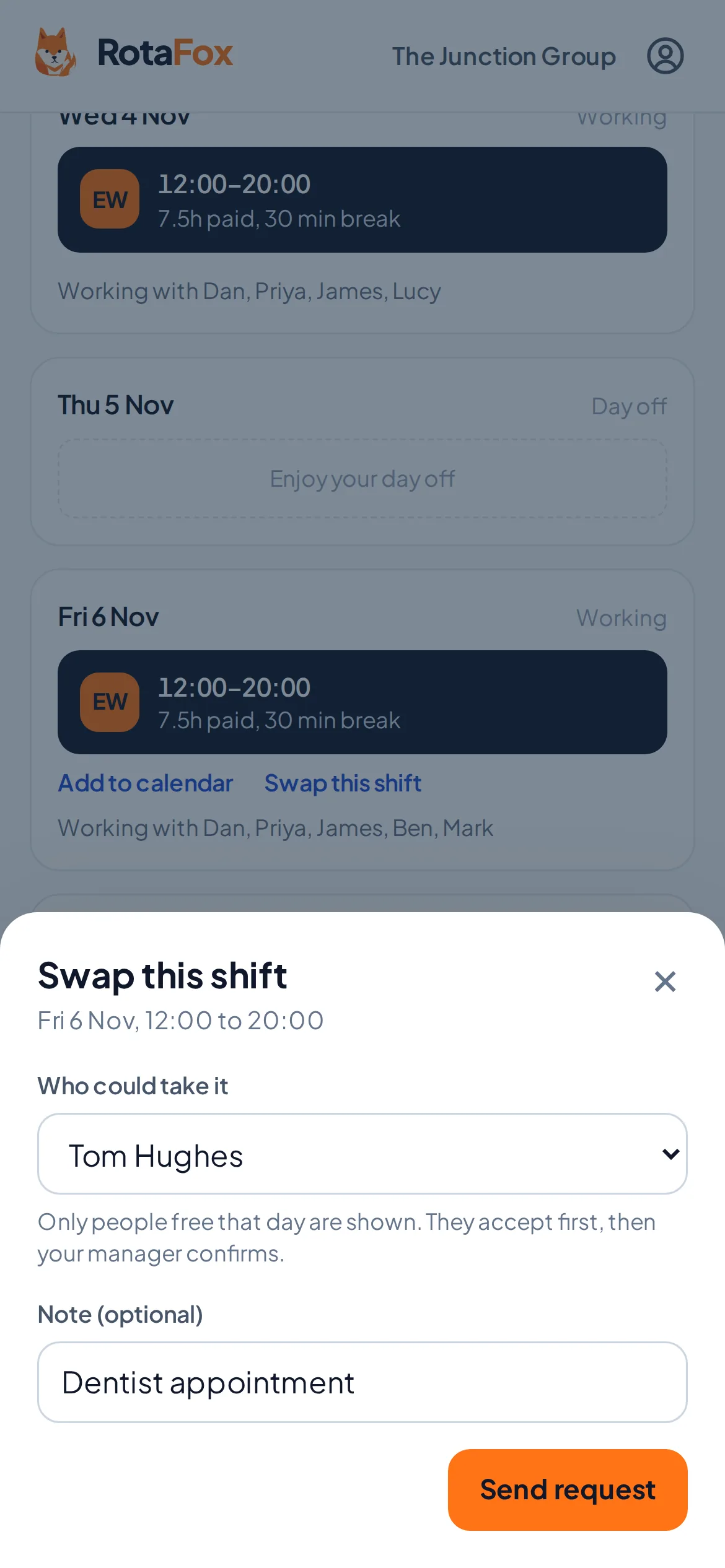
A team member offers one of their published shifts to a colleague, or asks for an open shift with one tap.
The colleague accepts
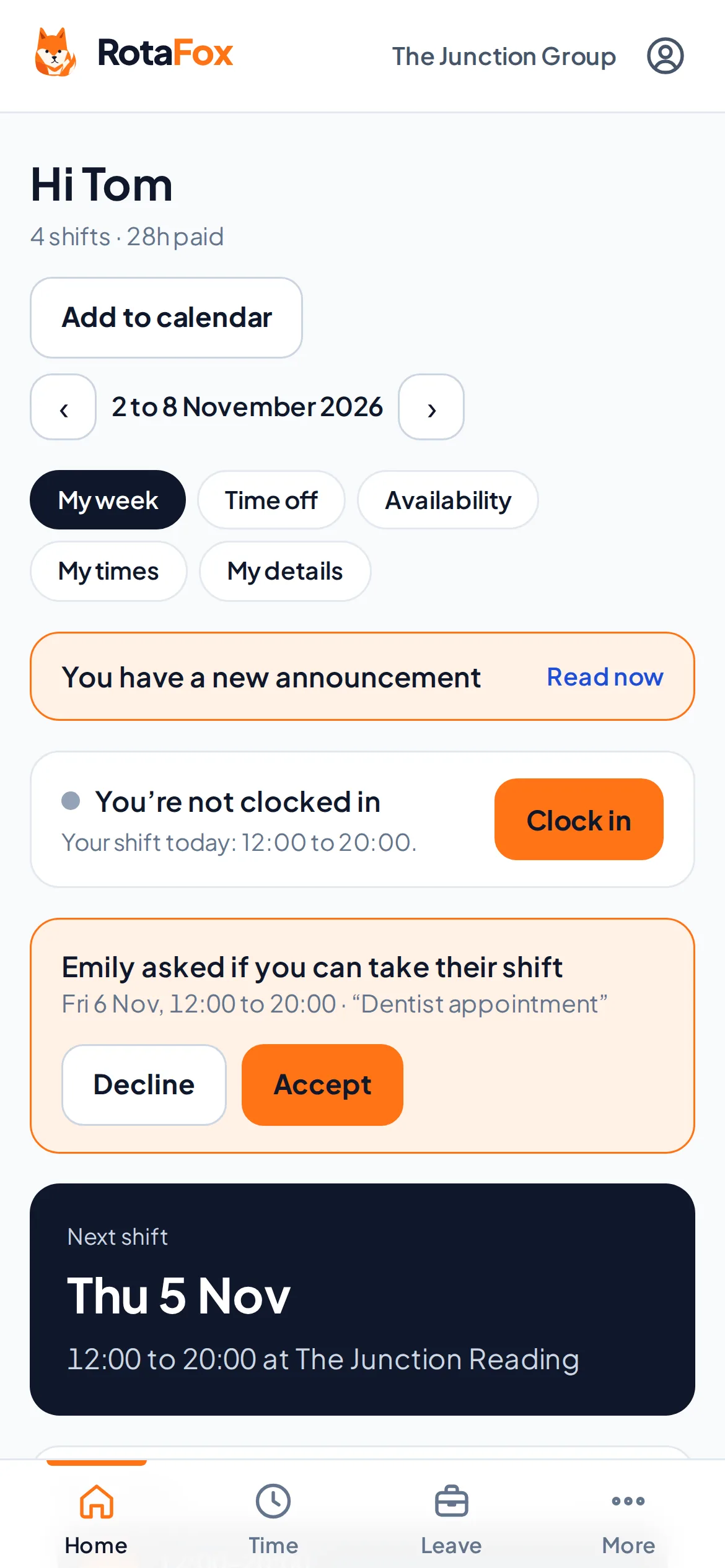
For a swap, the colleague says yes or no first. They only see requests for shifts they’re free to work.
A manager approves
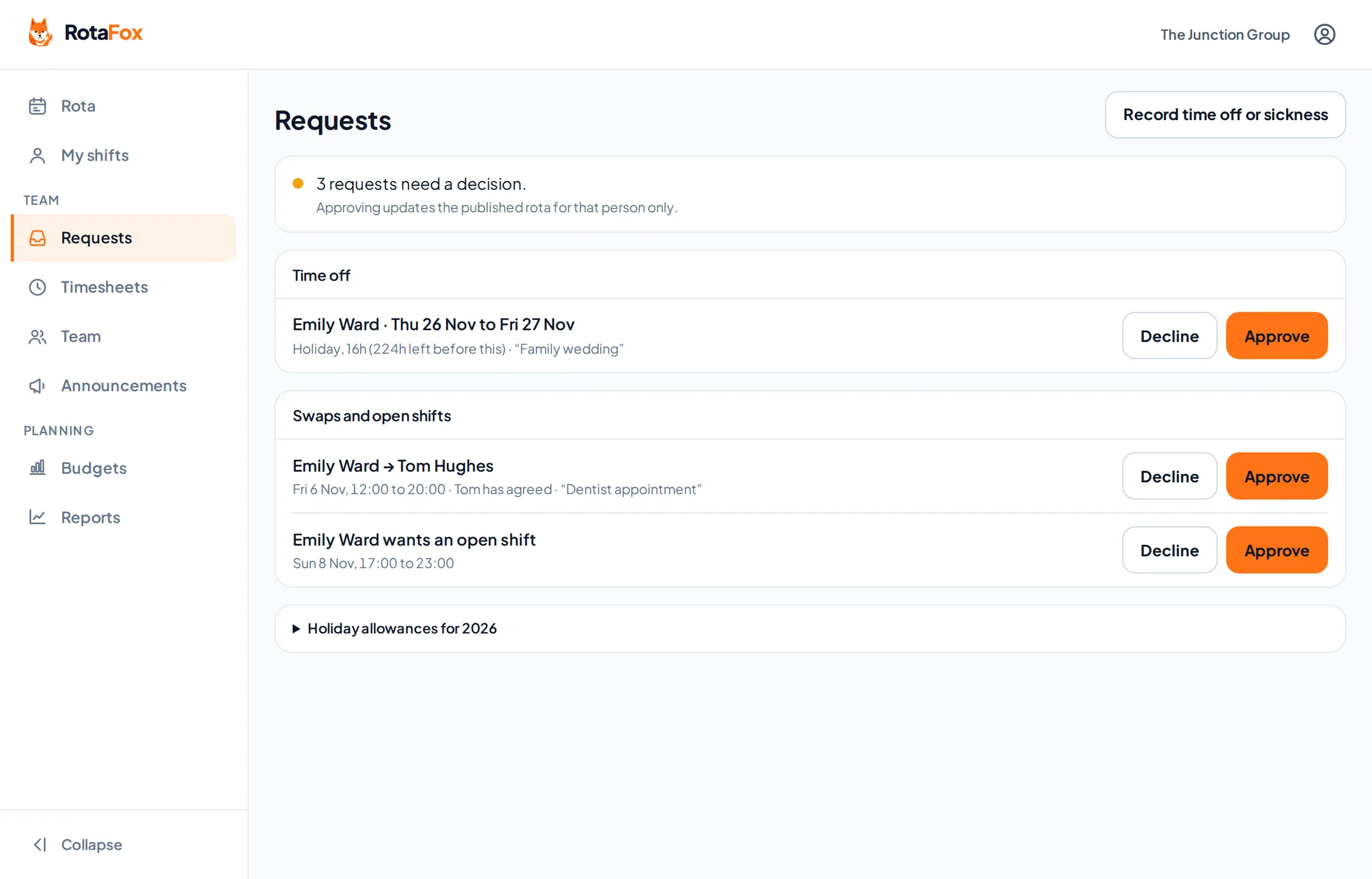
The request waits on the Requests screen. Leave and clashes are checked again before anything changes.
The rota updates
Once approved, the shift moves to its new owner on the published rota and on their own week.
Only colleagues who can actually work it
When someone offers a shift, the list of colleagues only includes people at the same venue who aren’t already working then and aren’t on leave that day. They add a note if they want to, and send the request.
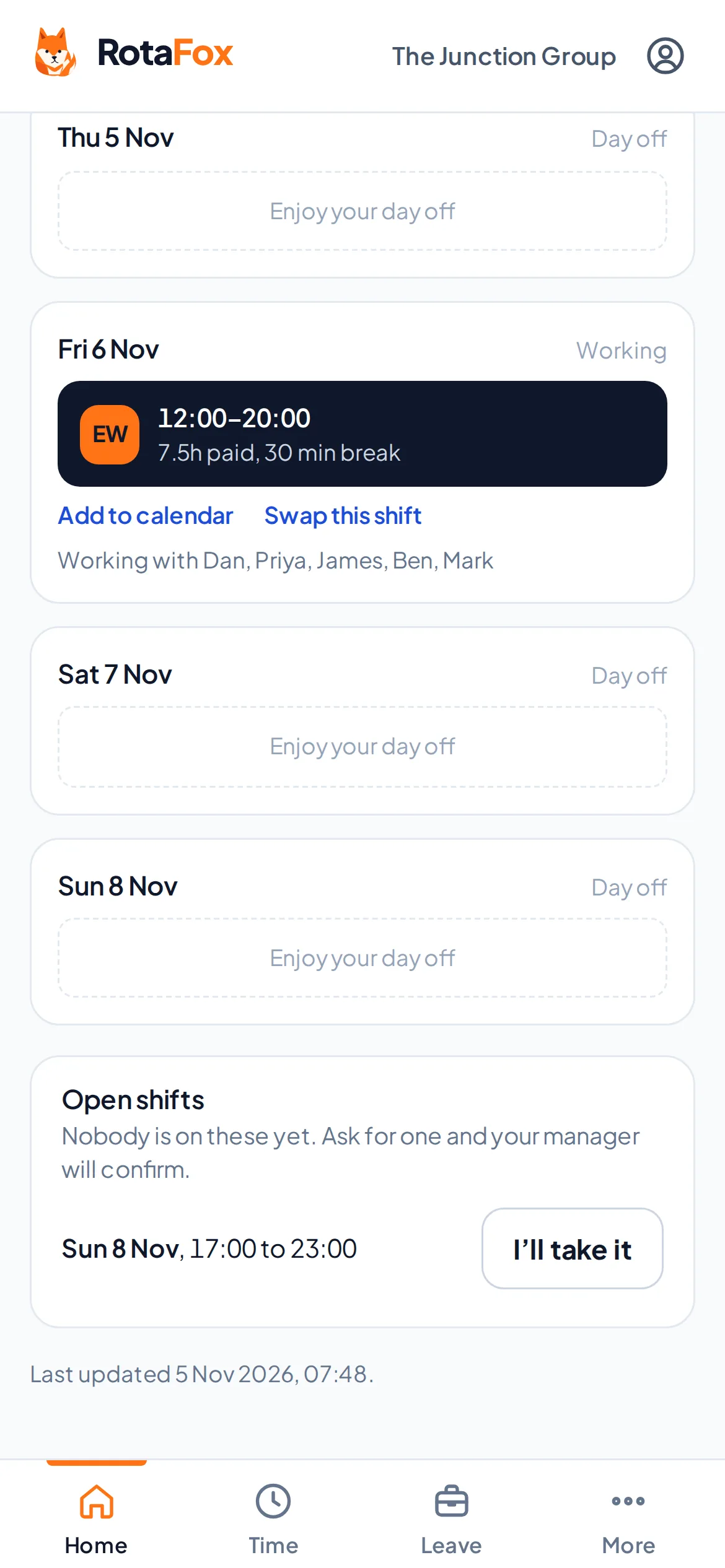
Open shifts appear on everyone’s own week under “Open shifts”. Anyone at that venue who’s free then can ask for one, and the first request is the one that goes to a manager.
- Swaps go to a named colleague with a login
- Open shifts can be picked up from a phone
- Requests close once a shift has started
- People can cancel a request they’ve made
You stay in charge of the rota
Every swap and pick-up waits for a manager. Before it’s approved, the shift and the people involved are checked again: if the shift has changed, or the new person is now on leave or working elsewhere, the change doesn’t go through.
Nobody can approve a request they’re part of, so a manager swapping their own shift needs another manager to sign it off.
- Approve or decline from one screen
- Leave and clashes rechecked
- No approving your own request
- Every decision recorded
Questions about swaps and open shifts
Can staff swap shifts without a manager?
No. Every swap and pick-up needs a manager’s approval before the rota changes, and nobody can approve a request they’re part of.
Who can a shift be offered to?
Colleagues at the same venue who have a login, aren’t already working at that time and aren’t on leave that day.
How do open shifts work?
Leave a shift without a name on the published rota. Your team sees it under “Open shifts” and can ask for it, and a manager confirms who gets it.
Related features
Your next rota could be the easiest one yet.
Less admin. Better control over wages. A happier team. That’s the RotaFox way.