Staff app
Everything your team needs, on their phone
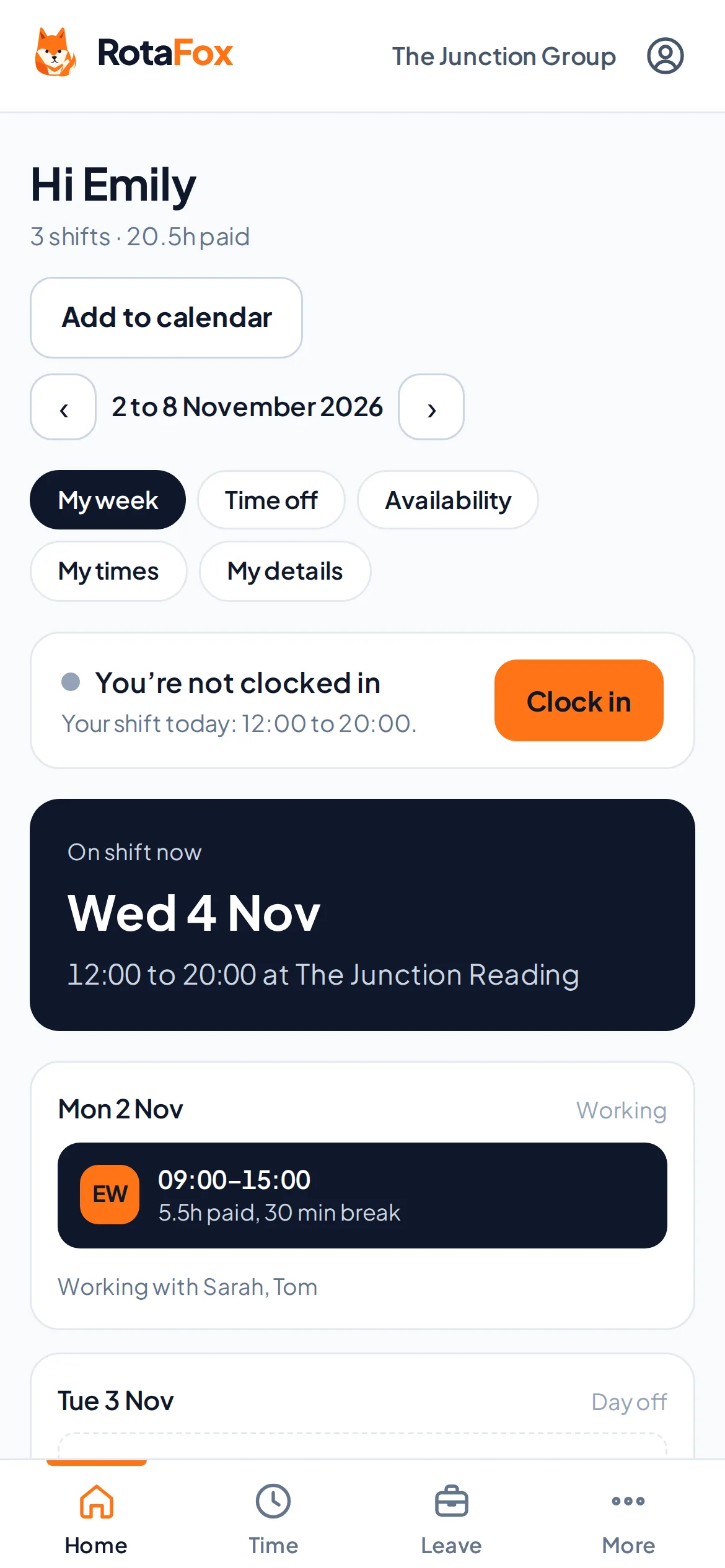
Your team sees their published shifts, clocks in and out, asks for holiday, says when they can’t work and arranges swaps, all in RotaFox on their own phone. It works in the browser, so there’s nothing to download.
How it works
Join with a link
Each person gets their own single-use invitation link, by text, WhatsApp or however you like. Links expire after 7 days.
See their week
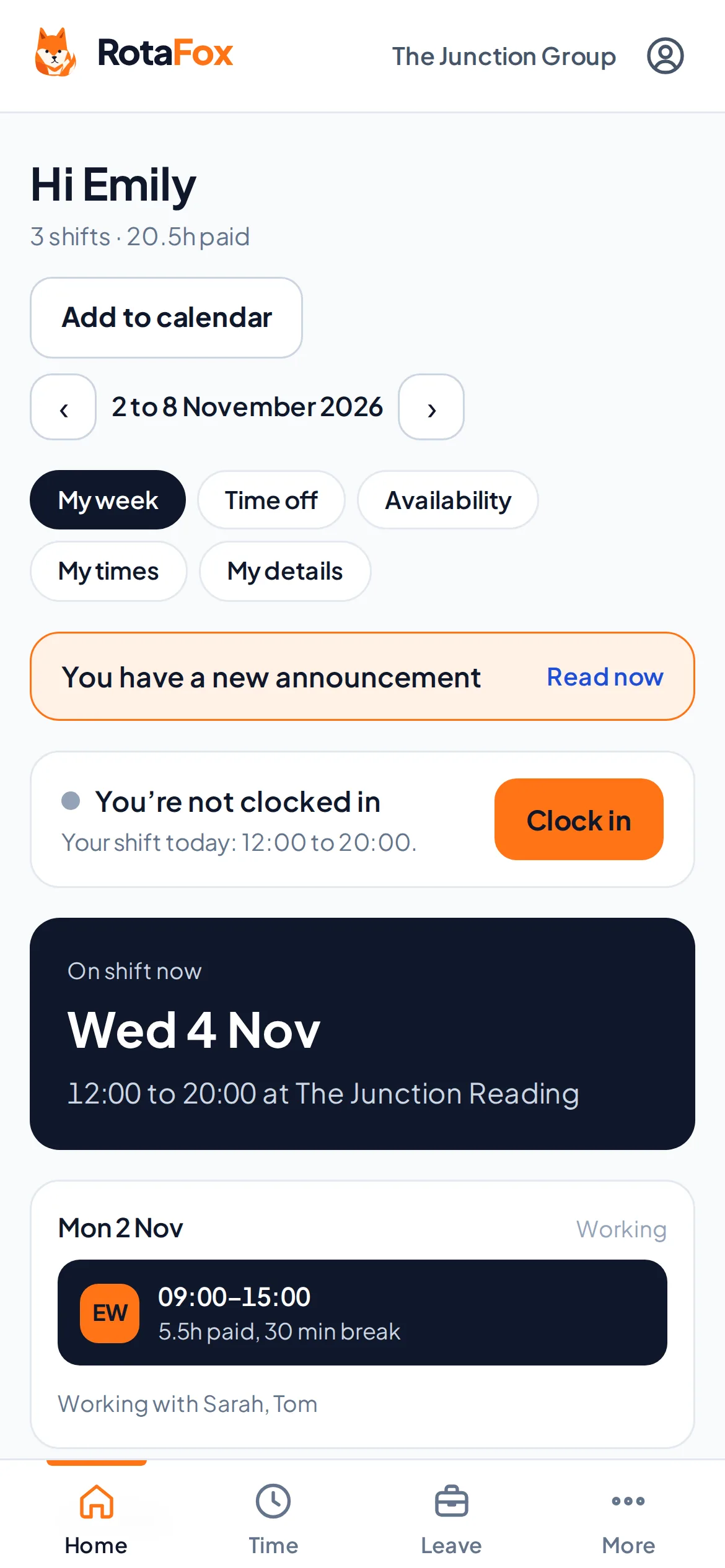
Their published shifts, their next shift and who they’re working with, as soon as you publish.
Clock in and out
One button to clock in, one for a break and one to clock out. Their times go to your timesheets.
Ask, without a phone call
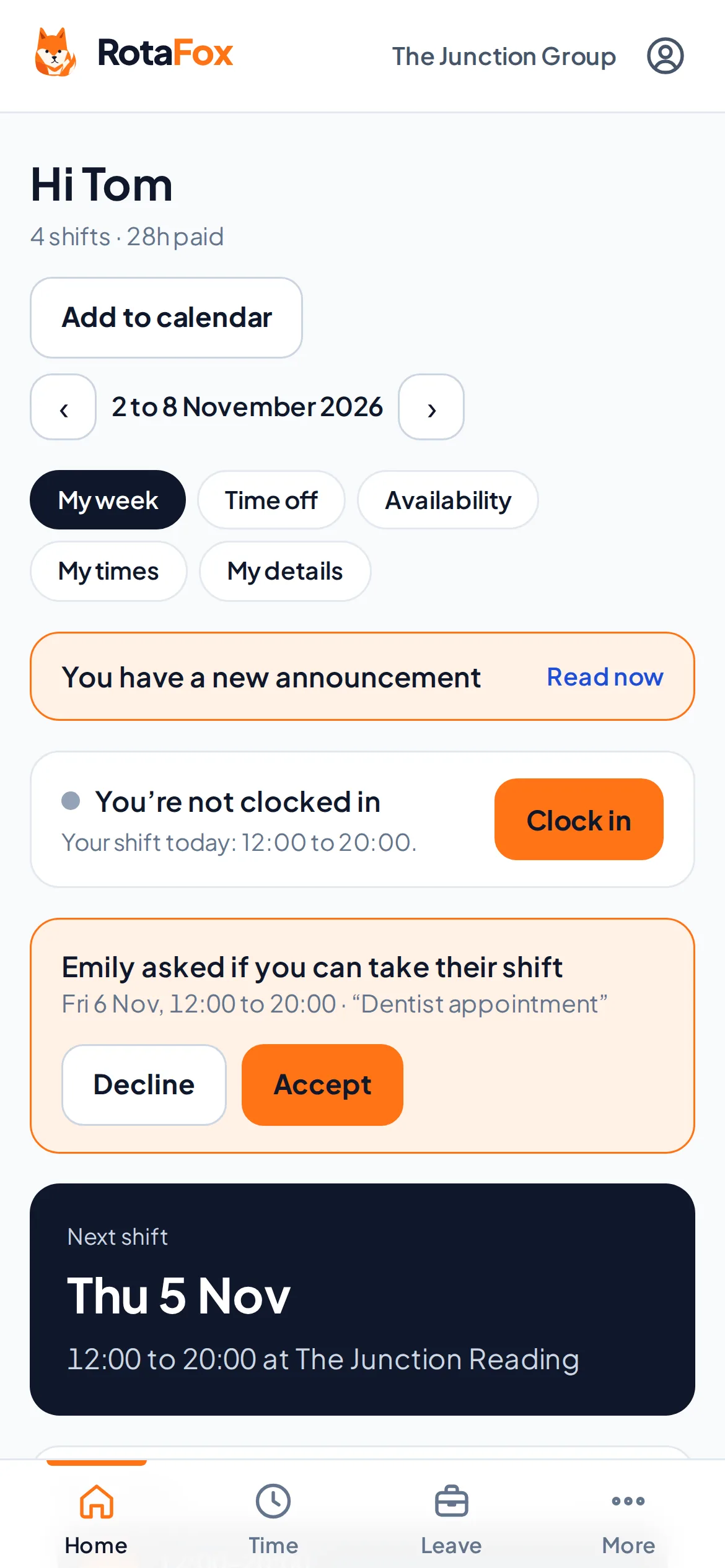
Holiday, availability, swaps and open shifts, each sent to a manager to decide.
Their own times and their own swaps
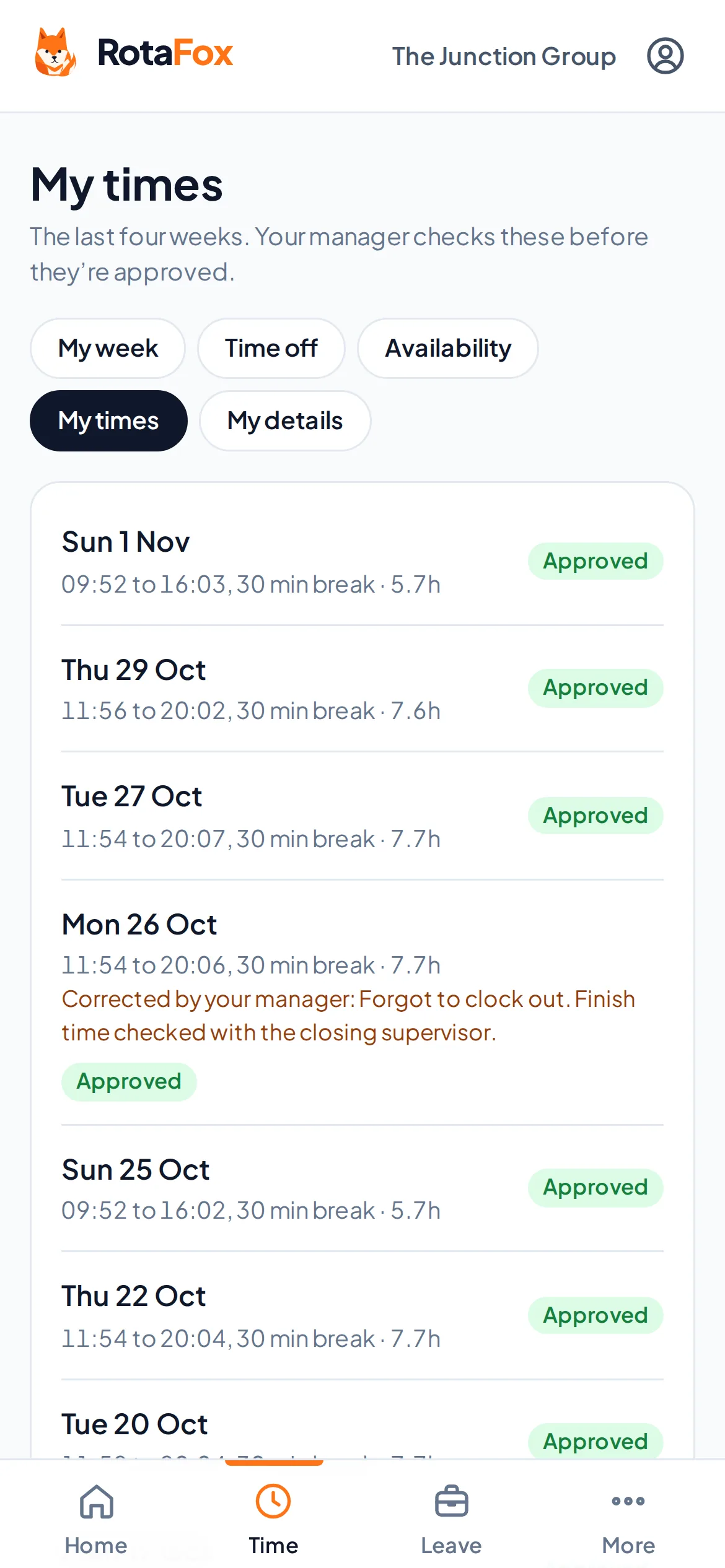
Each person can see the times they’ve recorded over the last four weeks, and whether each one is still waiting for approval. If a manager corrects a time, they can see that it was corrected and the reason given, so there are no surprises on payday.
They can also offer one of their shifts to a colleague who’s free, accept or decline a swap someone offers them, or ask for an open shift. Every change waits for a manager before the rota changes.
- Clock in, breaks and clock out
- The last four weeks of times
- Corrections with the reason
- Swaps and open shifts
Holiday and availability without the chasing
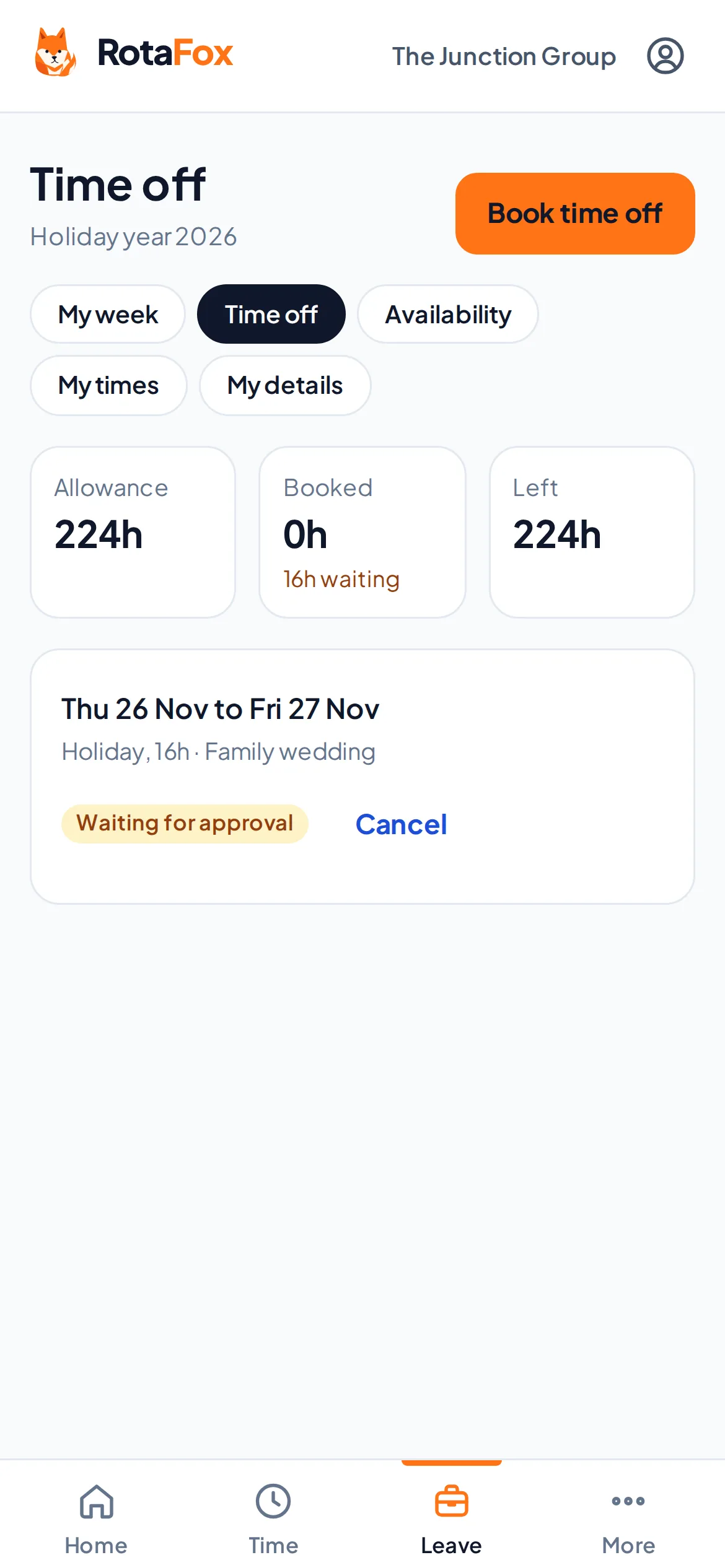
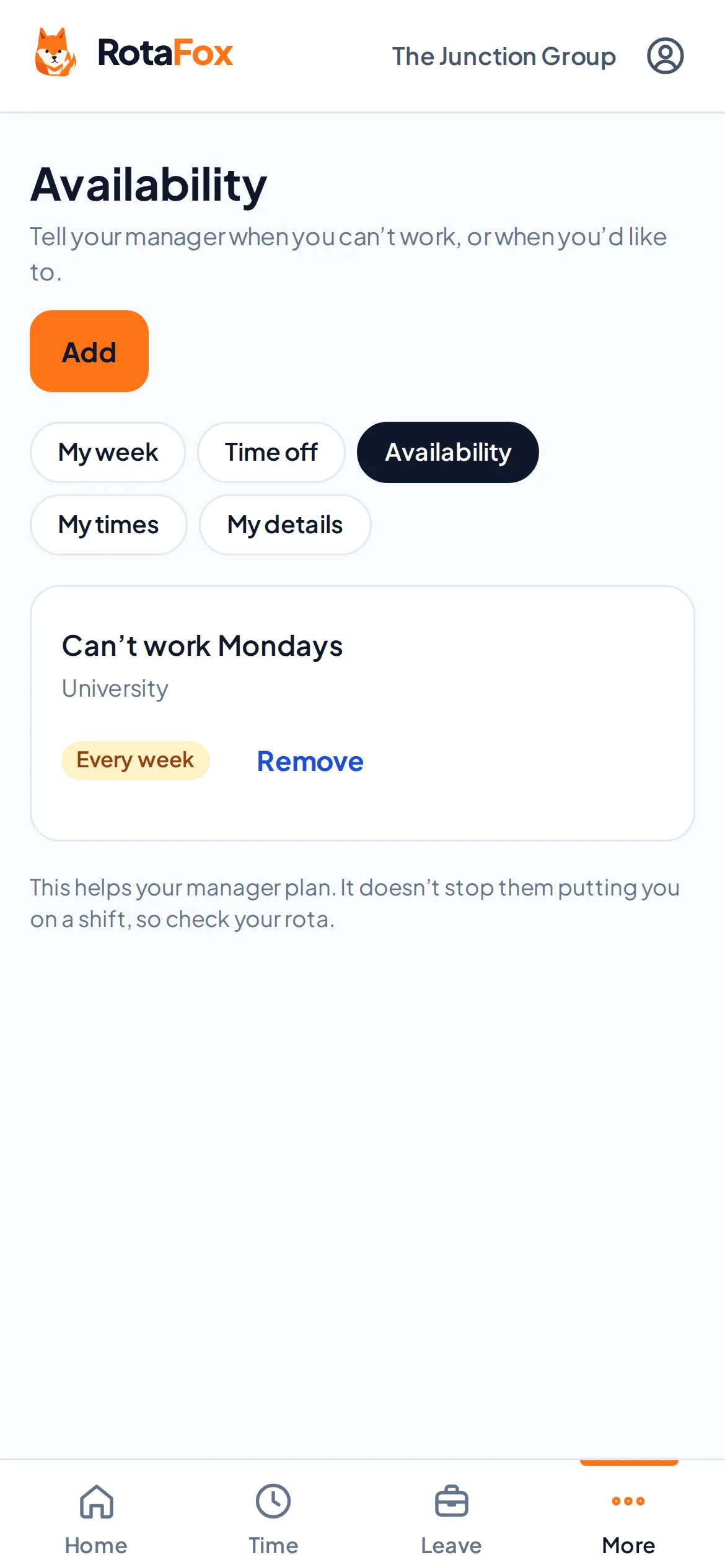
They ask for holiday with their allowance in view, and see what’s approved, waiting or declined. They can also say which days or times they can’t work, or that they’d like more hours, and you see it beside their name while you plan.
Their shifts in their own calendar, and your news
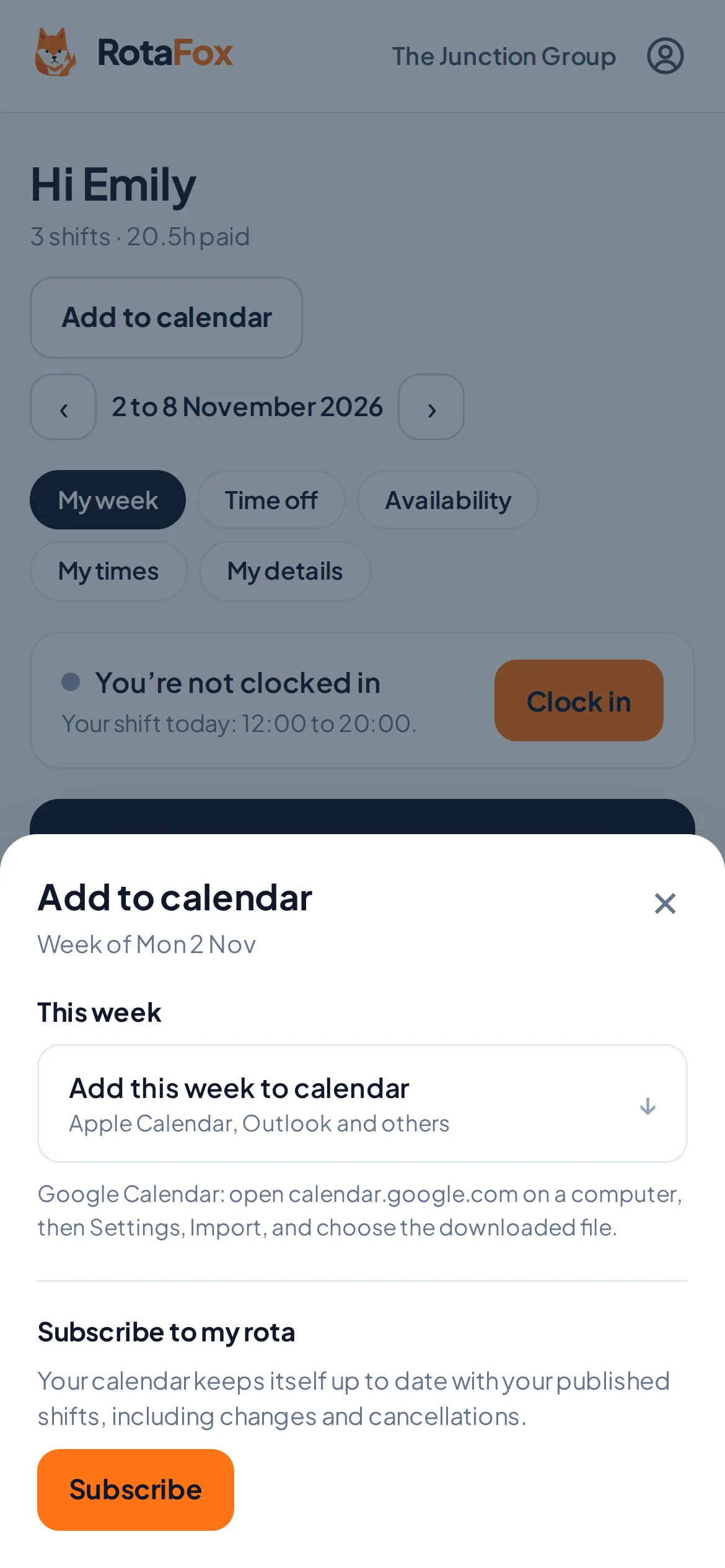
They can add their published shifts to their own calendar, or subscribe with a private link that updates when you publish. It only shows their own shifts. New announcements appear at the top of their week until they’ve read them.
Questions about staff app
Do staff need to download an app?
No. RotaFox works in the browser on any phone, and can be added to the home screen like an app. Dedicated iPhone and Android apps are planned.
How do staff join?
You invite each person with their own single-use link, which you can share by text or WhatsApp. Links expire after 7 days.
Can staff see what colleagues are paid?
Not with the Team member preset. Seeing pay is a separate permission that you give only to the people who need it.
Related features
Your next rota could be the easiest one yet.
Less admin. Better control over wages. A happier team. That’s the RotaFox way.